Pro camera controls
Take manual or automatic control of ISO, exposure, shutter speed, focus, white balance and cinematic zoom.
Take full control of your camera, stream it in 4K to another Apple device and record exactly where you want. StreamCamera combines professional manual controls, remote monitoring, dual-camera workflows and production-ready video formats in one focused camera app.
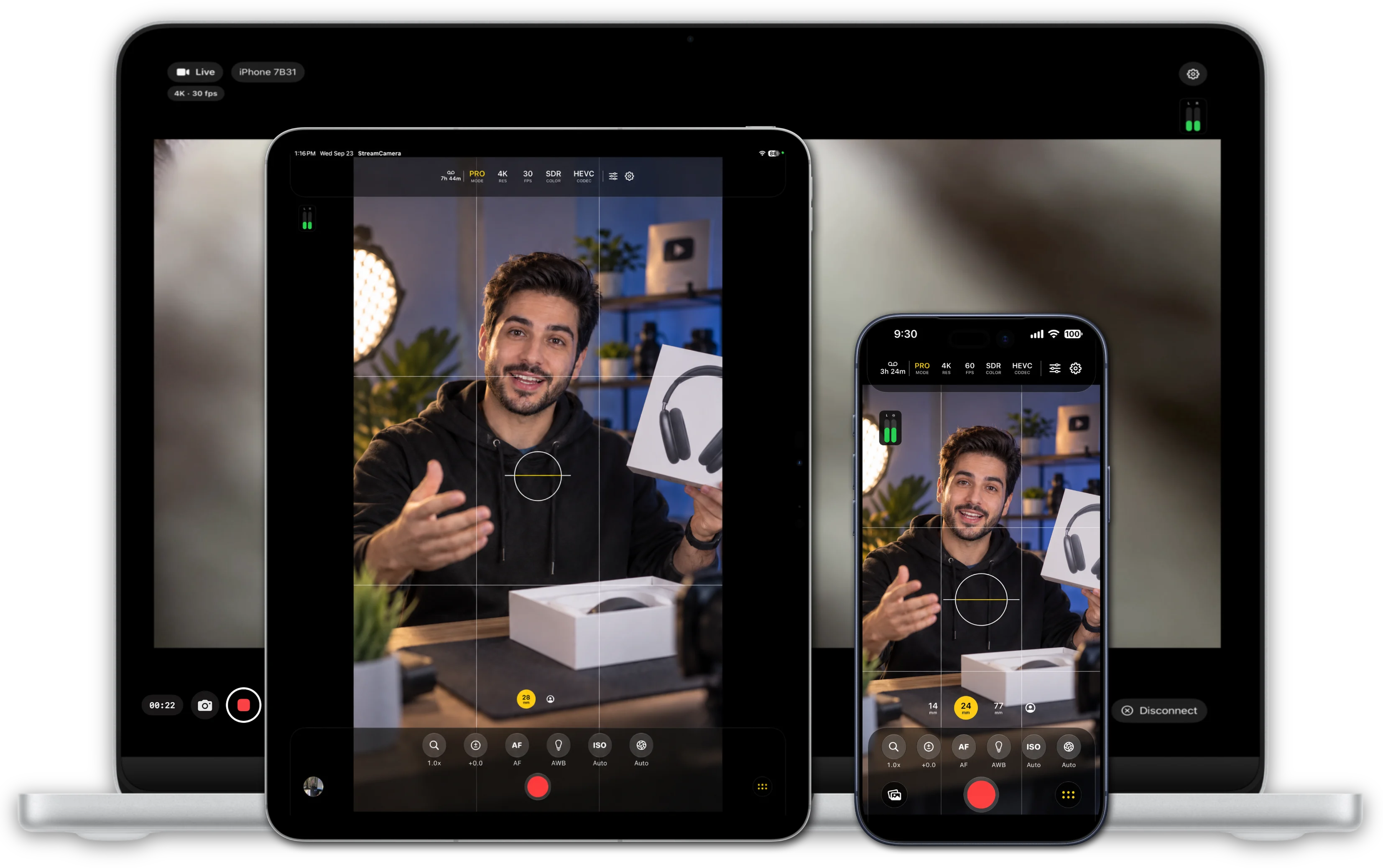
Take manual or automatic control of ISO, exposure, shutter speed, focus, white balance and cinematic zoom.
Stream an iPhone or iPad camera to another Apple device for a responsive remote-monitor workflow.
Record on the camera device, the receiving monitor, or both devices at the same time.
Choose H.264, HEVC or ProRes 422 formats and work in SDR or HDR HLG depending on your production.
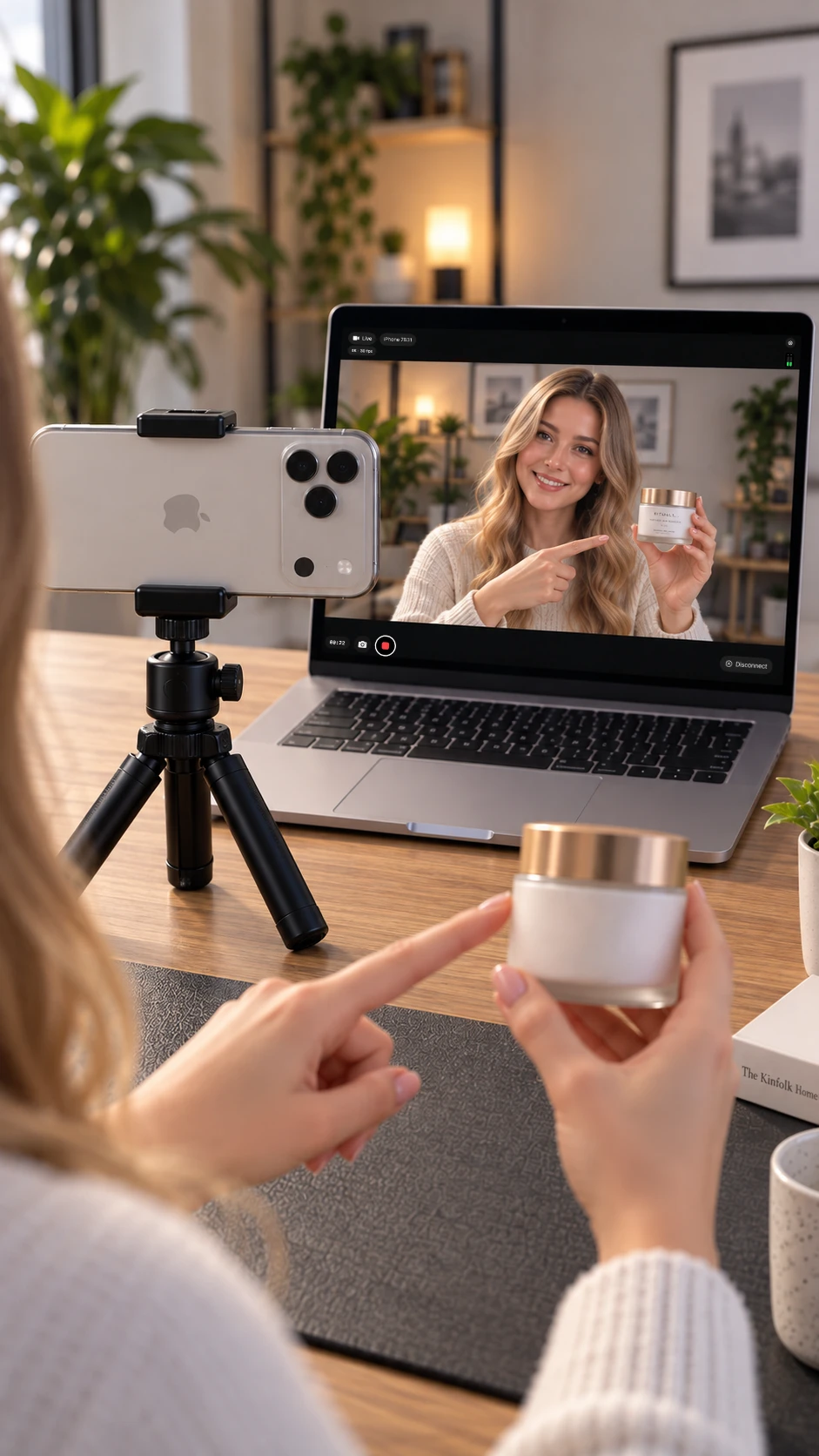
Stream the live camera from an iPhone or iPad to another Apple device and turn the receiver into a dedicated monitor. Keep the camera where the shot needs to be while you watch, frame and record from somewhere more convenient.
Send the live camera from iPhone or iPad to a Mac using Wi-Fi or a direct cable connection for a larger monitoring workspace.
Connect an iPhone and iPad over Wi-Fi and use one device as the camera while the other becomes the live receiver and monitor.
Save storage on the camera device by recording on the receiving device instead, or record on both streamer and receiver at the same time.
Place the receiver somewhere convenient while the camera stays in position. Monitor rooms, product shots and difficult angles without standing beside the streaming device.
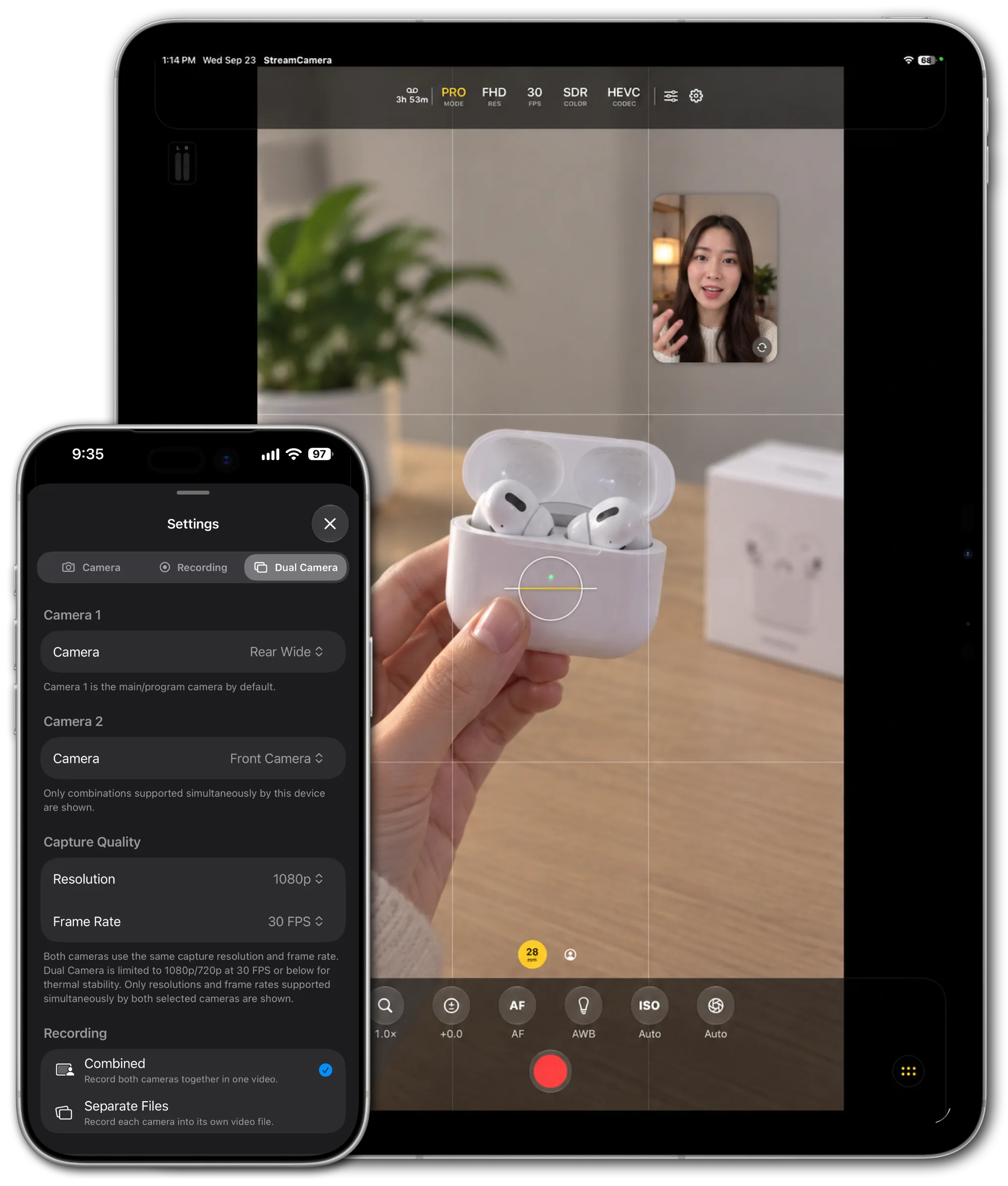
Capture from two cameras at the same time on supported iPhone and iPad devices running iOS 26. Choose the lens for each camera, position the second view exactly where you want it and use the same dual-camera composition for live streaming or local recording.
Drag the secondary camera preview around the screen and position it where it works best for your shot.
Select the first and second camera independently from the supported lenses available on the device.
Send the dual-camera composition to another Apple device and monitor both camera views remotely.
On the camera device, record both cameras together in one composed video or save each camera into its own separate video file.
Separate dual-camera files are recorded on the camera device. The receiver is used for monitoring and streaming the composed dual-camera view.
Shoot with professional controls, stream your camera to another Apple device, monitor remotely, work with two cameras and record where your production needs it.