English, Arabic & Persian
Choose a language in Settings or follow your device. Arabic and Persian use full right-to-left layouts across the app, settings and upgrade screen.
FileCue turns everyday documents into organized records, actionable tasks and timely reminders. Scan, import or enter document details, then read and manage them in English, Arabic or Persian.
Private, local-first document organization for iPhone and iPad.
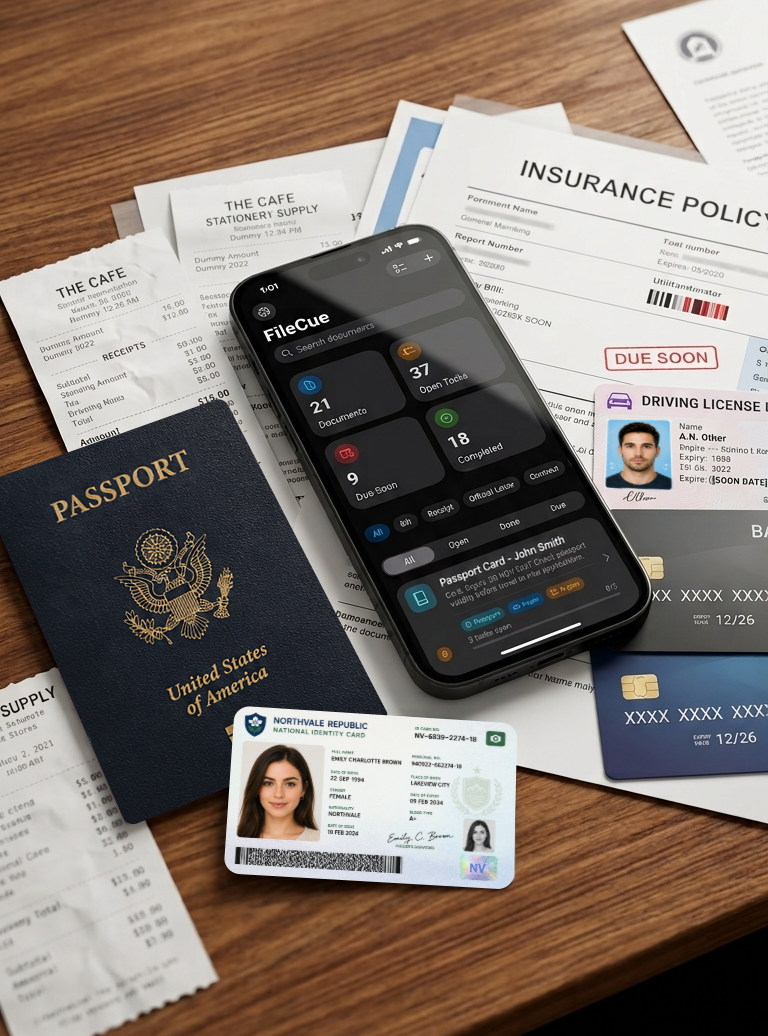
FileCue, your documents and your reminders are now available in English, Arabic and Persian, with a better reading, syncing and task experience throughout the app.
Choose a language in Settings or follow your device. Arabic and Persian use full right-to-left layouts across the app, settings and upgrade screen.
FileCue recognizes Gulf and Iranian identity cards and driving licences, machine-readable passports, bilingual bills and policies, and Solar Hijri dates.
Summaries, extracted details and suggested tasks are stored in all three languages. Switch readings without re-analyzing, then correct Arabic or Persian details by hand.
Documents, scanned images and tasks now synchronize reliably through your private iCloud account. You can turn sync off to keep records on one device.
Widgets follow your language and writing direction, show more task titles, and the refreshed dashboard opens the matching filtered task list.
Each document can receive up to two clear suggested actions in every supported language, with improved detail, date and document-number extraction.
Capture the document, let FileCue detect useful details, then review tasks and reminders in one focused workflow.
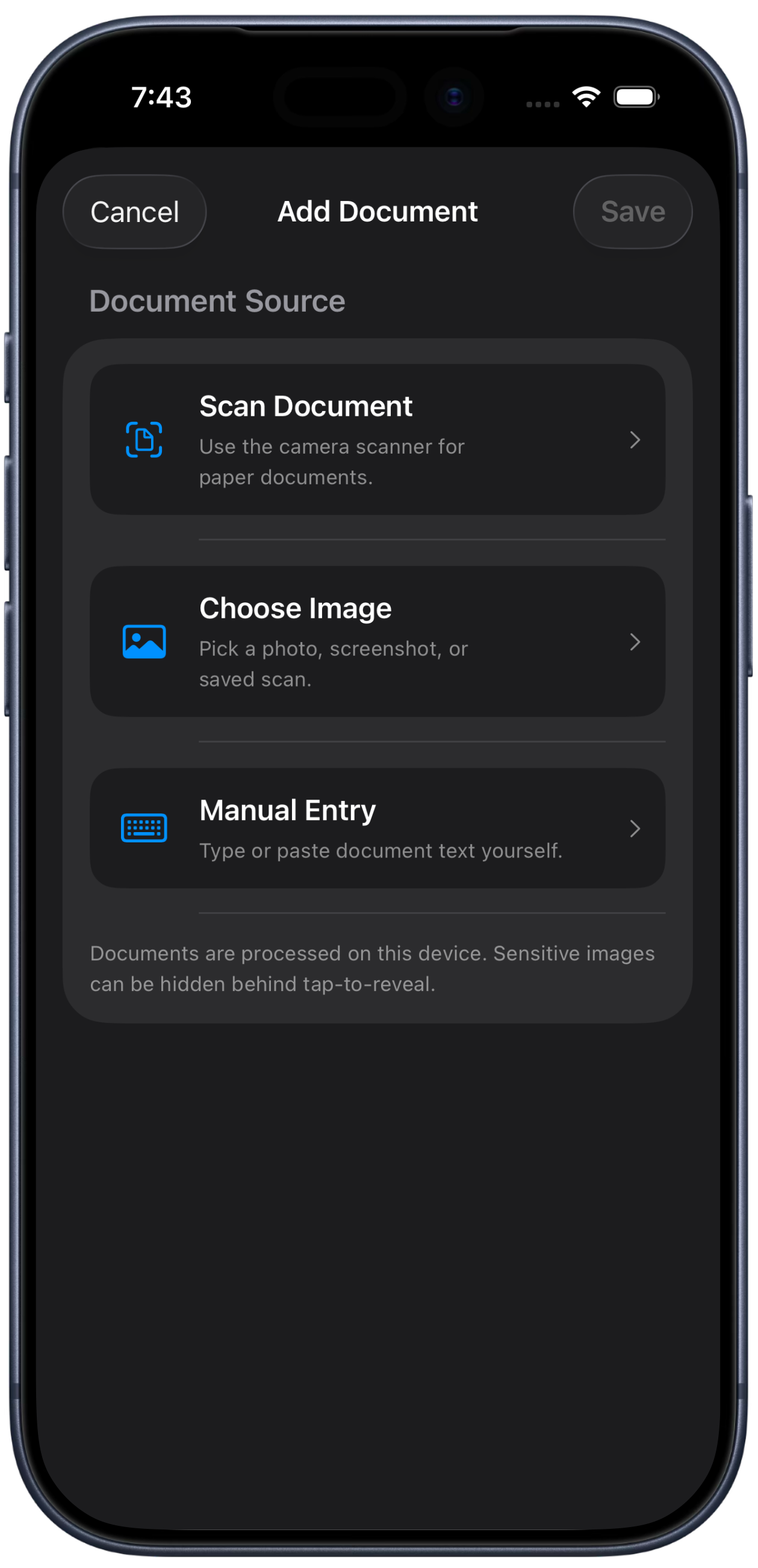
Use the camera scanner or choose a photo, screenshot or saved scan from your library.
FileCue extracts readable text on device, without uploading images for OCR processing.
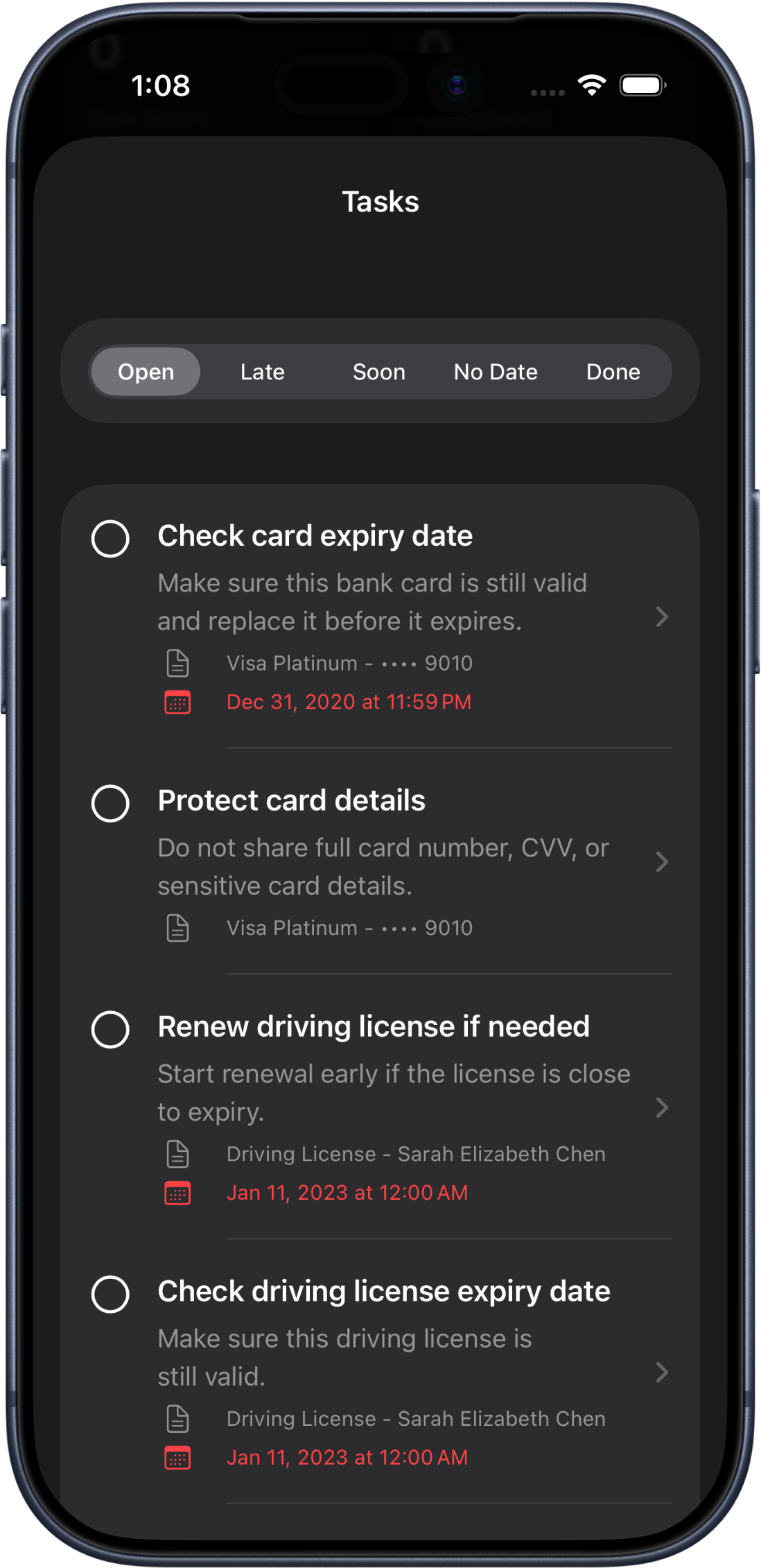
Due dates, expiry dates, payment dates and important actions can become suggested tasks.
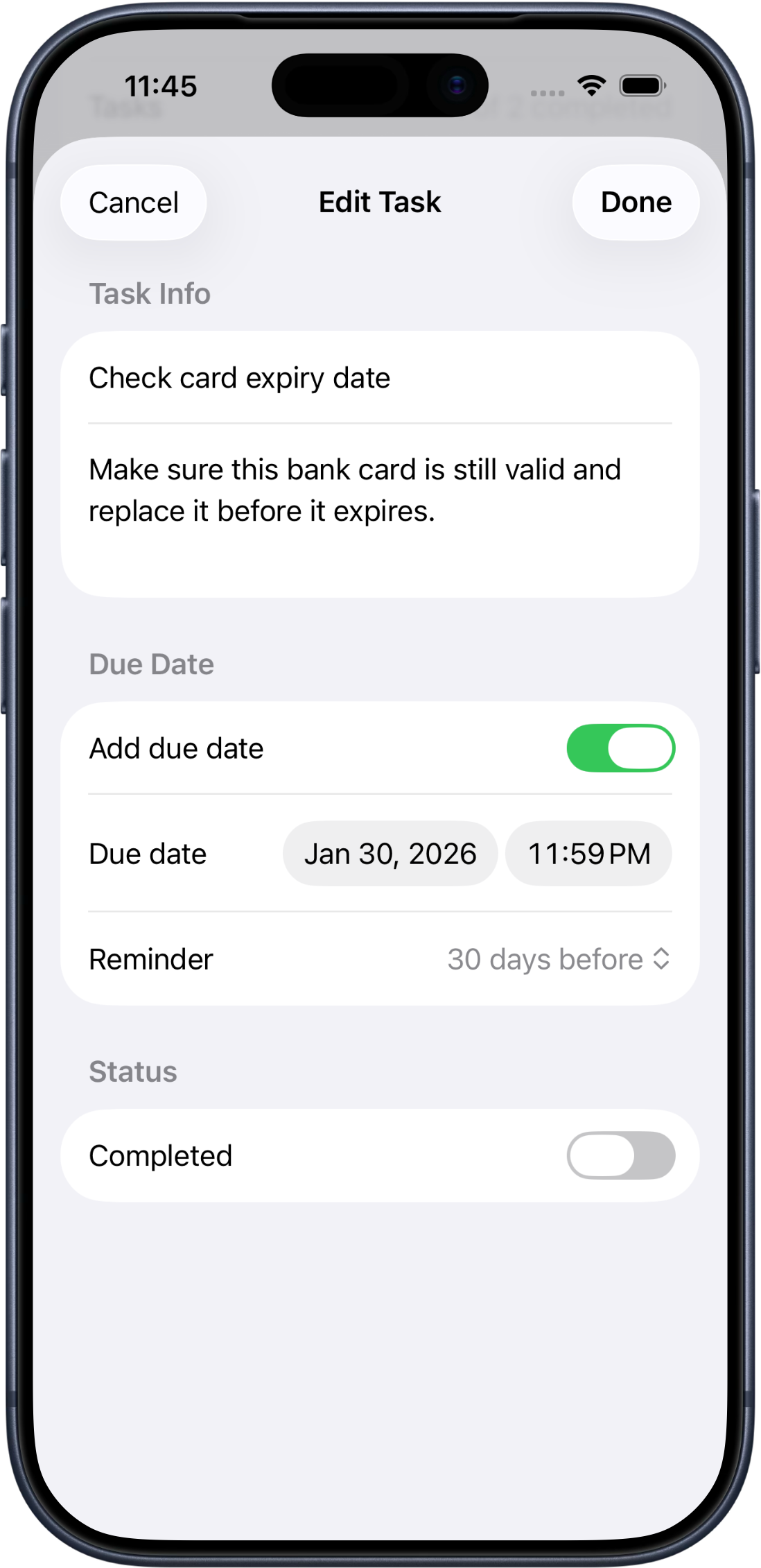
Set task reminder dates and times so FileCue can notify you when attention is needed.
Start with a camera scan, choose an existing image from Photos, or type/paste document text manually. FileCue gives you flexible ways to capture bills, cards, letters, IDs and everyday records.
FileCue is useful for bills, receipts, passports, ID cards, driving licenses, bank cards, insurance documents, contracts, letters and general records.
Capture documents with the camera or choose existing images from your photo library.
Extract readable text directly on your iPhone. Document images are not uploaded to a server for OCR.
Detected due dates, expiry dates, payment dates and document actions can become suggested tasks.
Set dates and times for tasks, then receive notifications when something needs attention.
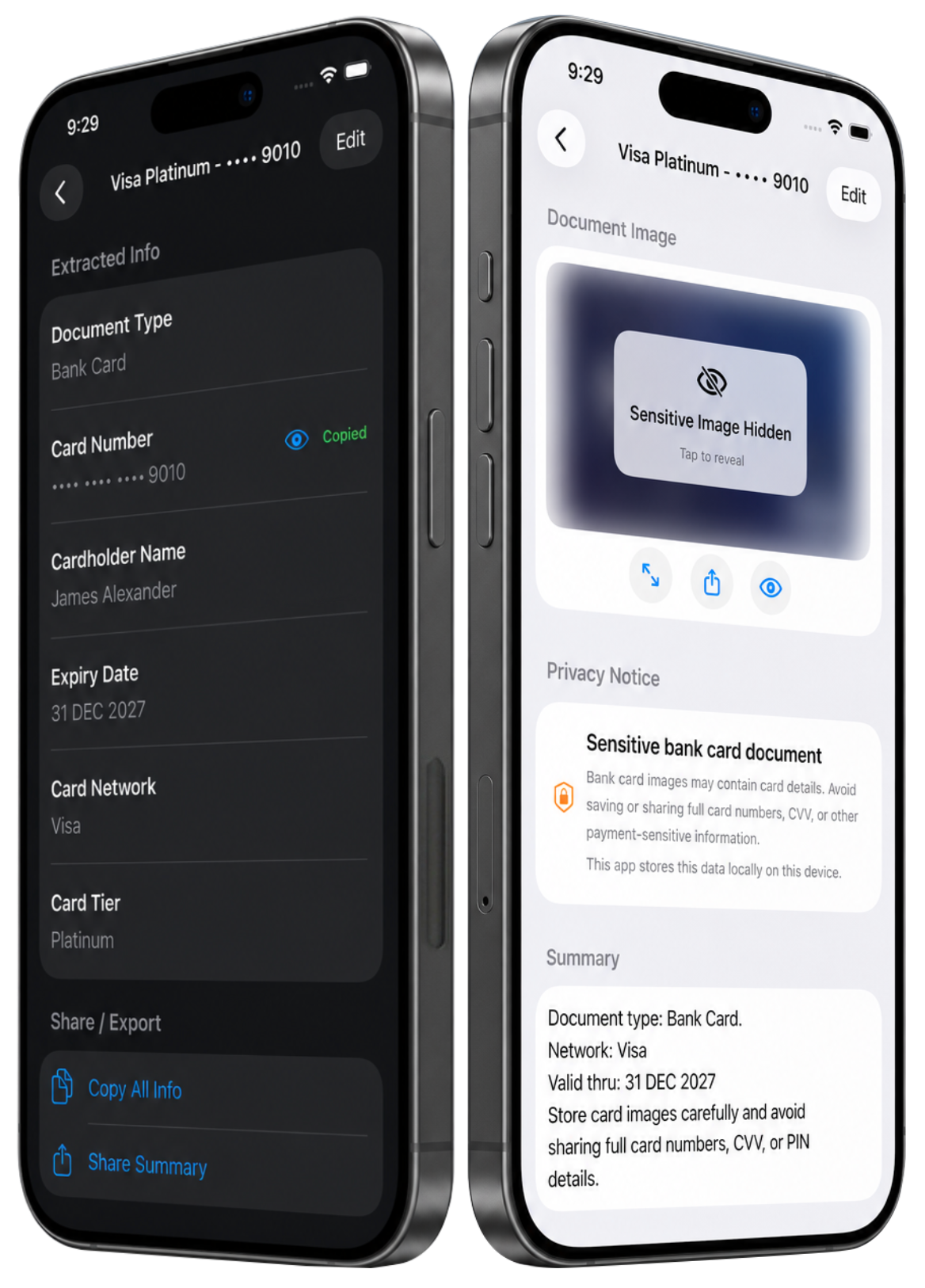
Hide sensitive images behind tap-to-reveal and protect bank card details for safer viewing.
Review detected details, edit fields and add custom extracted-info rows with FileCue Pro.
FileCue gathers tasks from all your documents into one focused list. Filter what is open, late, coming soon, missing a date or already completed, then open any task to return to the related document.
FileCue is built for personal documents that need careful handling. Sensitive records such as passports, ID cards, driving licenses, bank cards and insurance documents can show privacy notices and hide images behind tap-to-reveal.
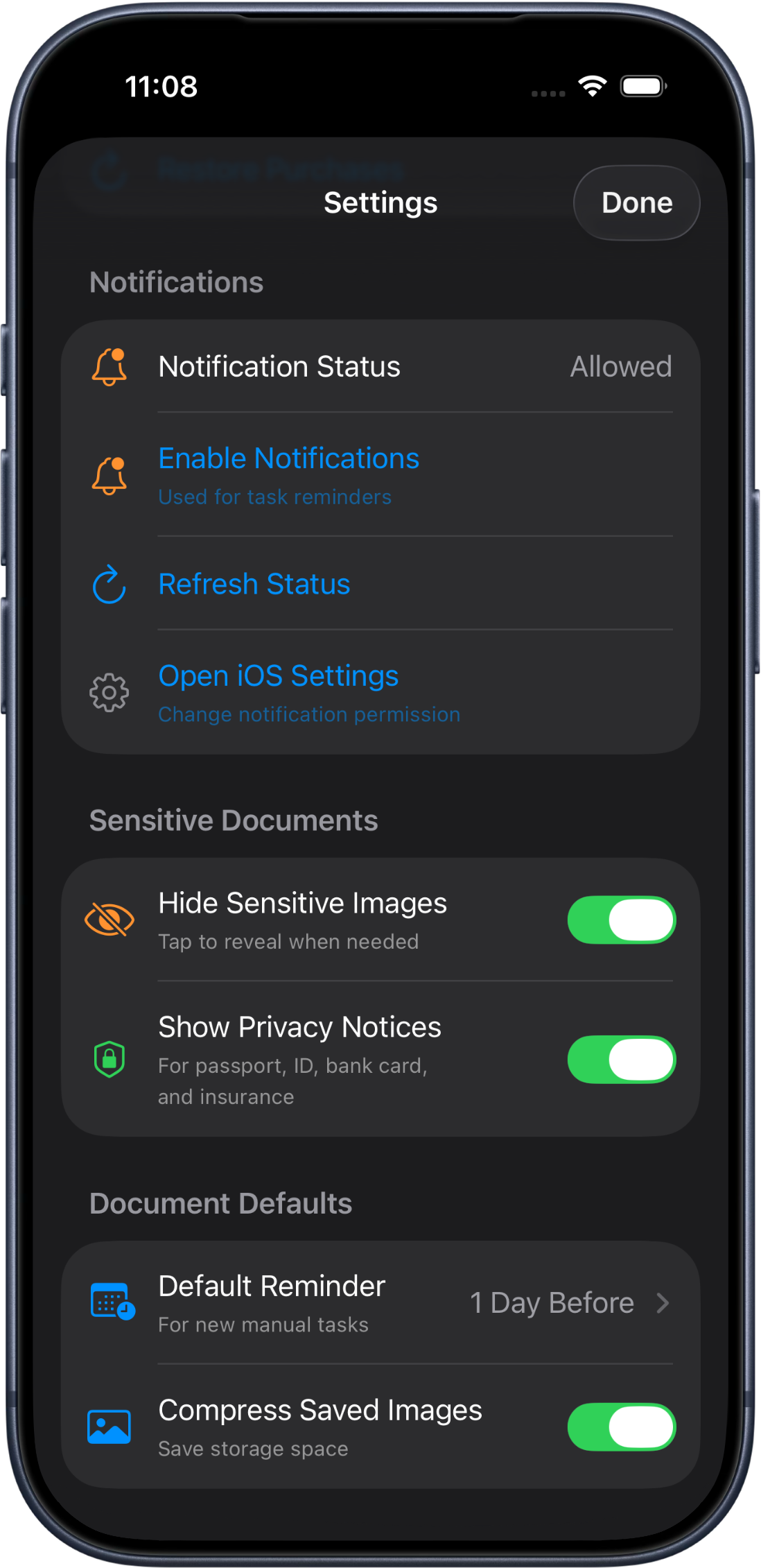
Control notification access, refresh reminder status, hide sensitive images by default, show privacy notices, compress saved images and choose the default reminder timing for new manual tasks.
FileCue Pro Lifetime unlocks unlimited documents, unlimited tasks, custom extracted-info rows, sharing, export and premium document management for users who want the full workflow.
Stay organized, avoid missed deadlines and keep important documents always on cue.
Scan, import, organize, protect and remember important documents with on-device OCR, smart task suggestions and reminder notifications.