Buy or restore Pro
Contact Manager Pro can now be purchased and restored directly in the app.

Contact Manager is a native macOS tool for importing VCF and CSV files, merging duplicate groups safely, and auto-backing up your address book. Gain deep health insights and never lose a contact again.
Made for macOS · a native Mac app for local-first contact organization.
Contact Manager is now faster with large libraries and makes purchases, access and support easier to manage from the app.
Contact Manager Pro can now be purchased and restored directly in the app.
The redesigned access screen explains what access is used for and which features still work without it.
A new About window links directly to help, support, privacy and terms.
Large contact libraries load faster, alongside additional fixes and refinements throughout the app.
Start by importing VCF or CSV files, or connect directly with your native Mac Contacts. Contact Manager consolidates your personal and professional address books into one powerful, streamlined dashboard.
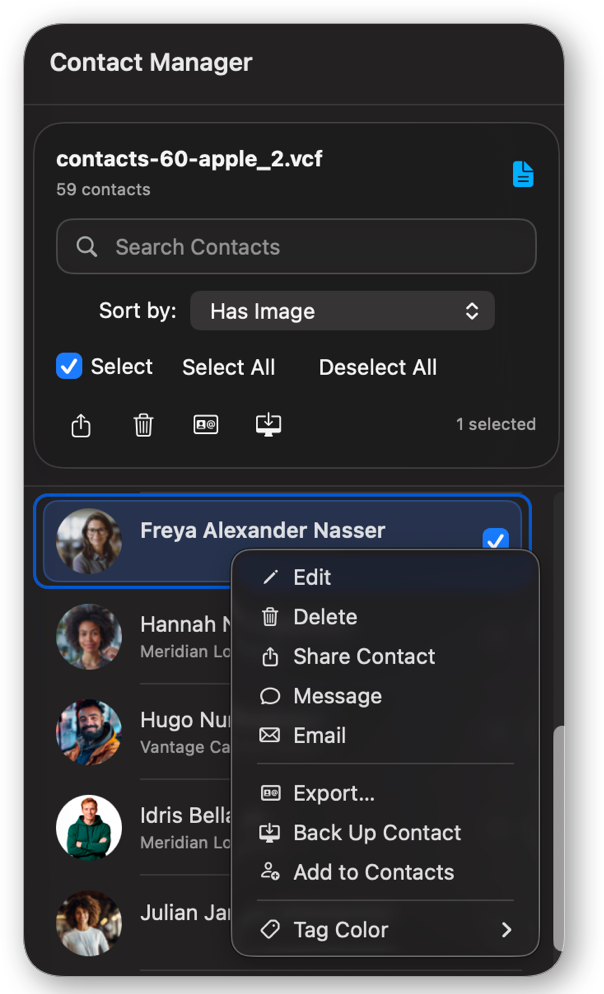
Organize personal networks, clean up corporate address books, manage duplicates, and ensure your data is always protected.
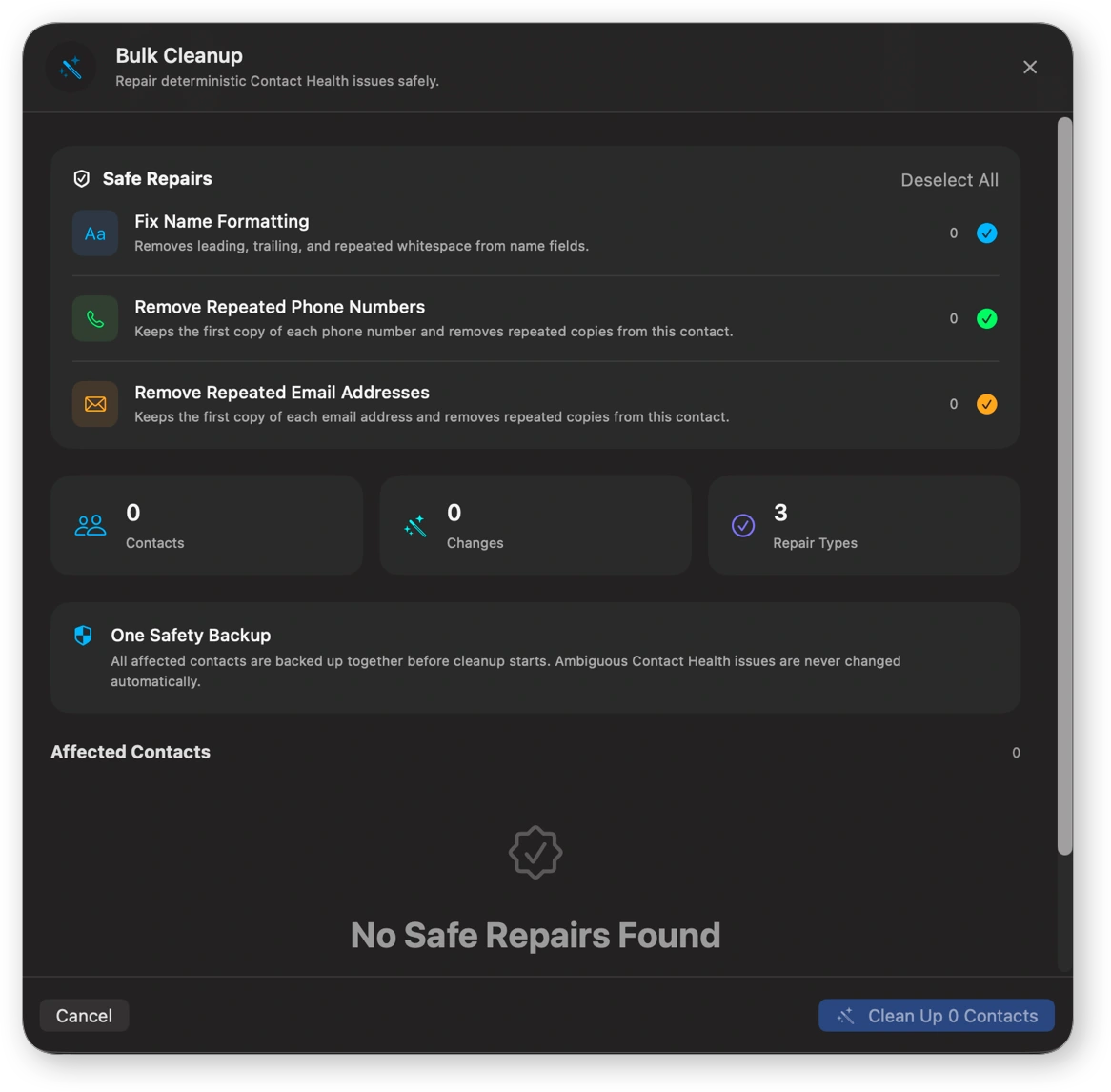
Fix name formatting, remove repeated phone numbers, and delete duplicate emails across your entire list in one click.
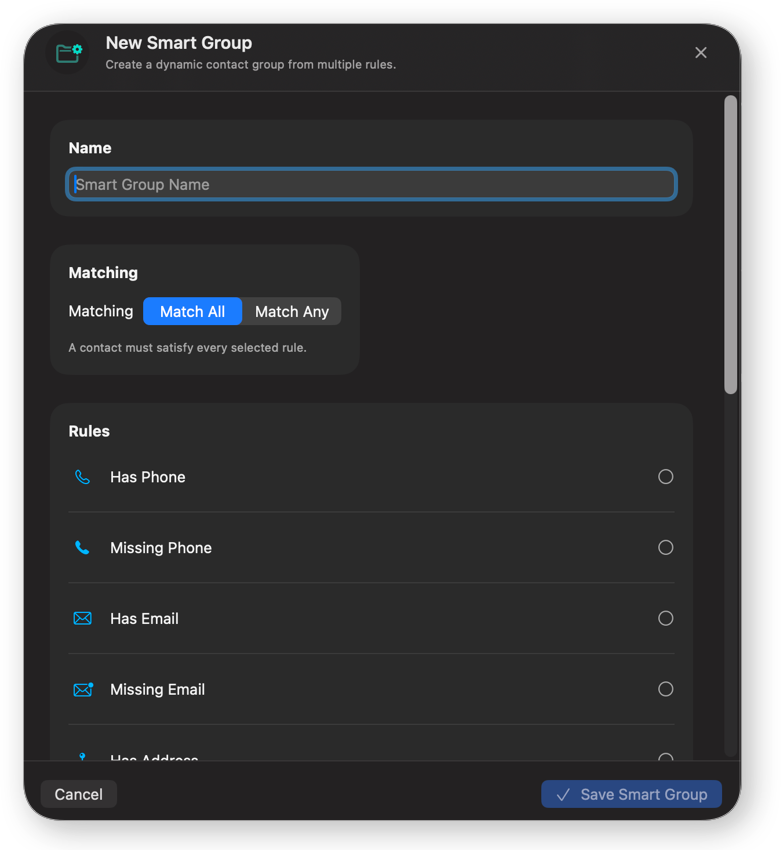
Automatically categorize contacts by missing data, birthdays, and more. Create custom groups with flexible rule logic.
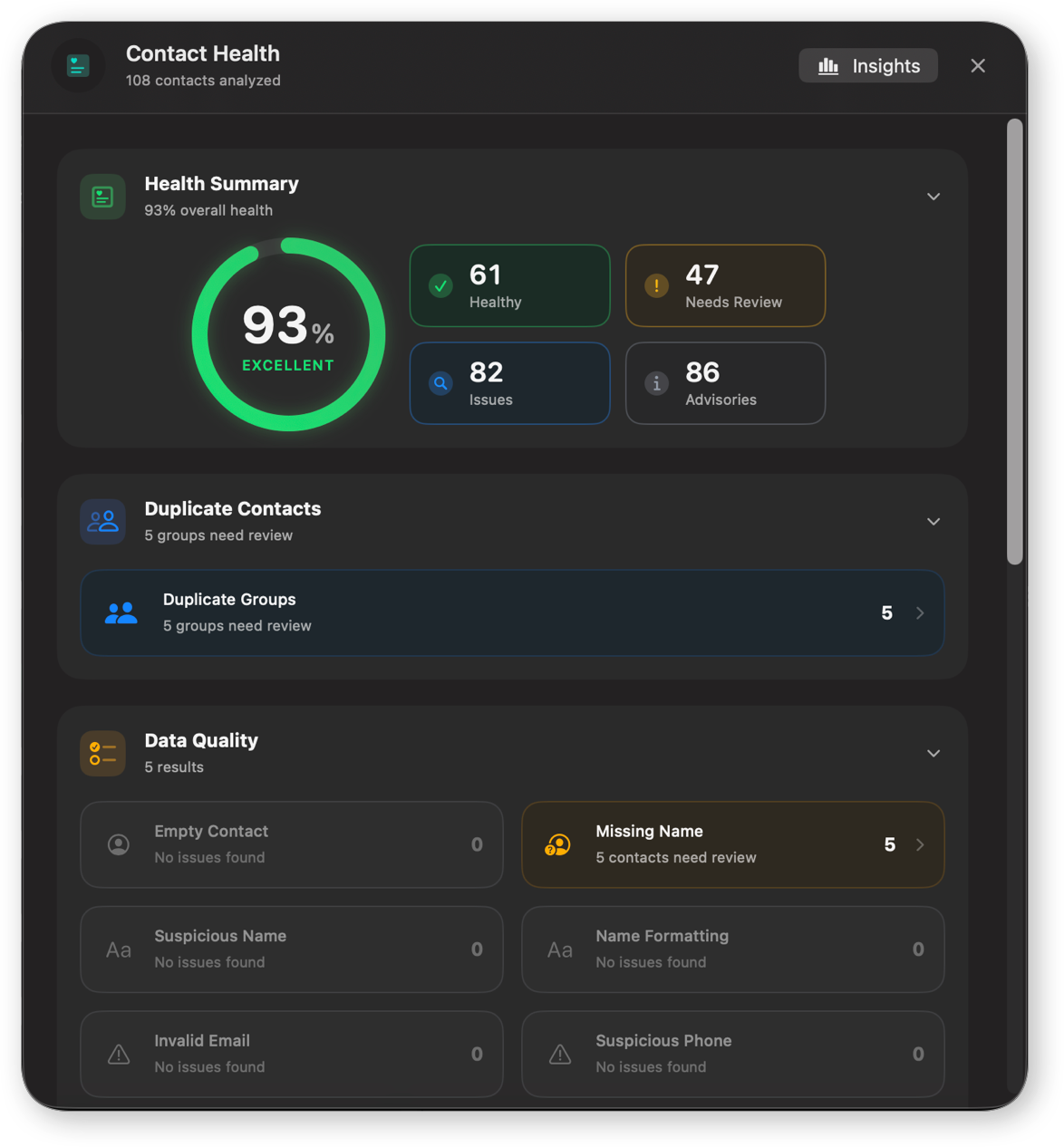
Get deep insights into your database. Detect duplicates, incomplete profiles, missing emails, and suspicious numbers.
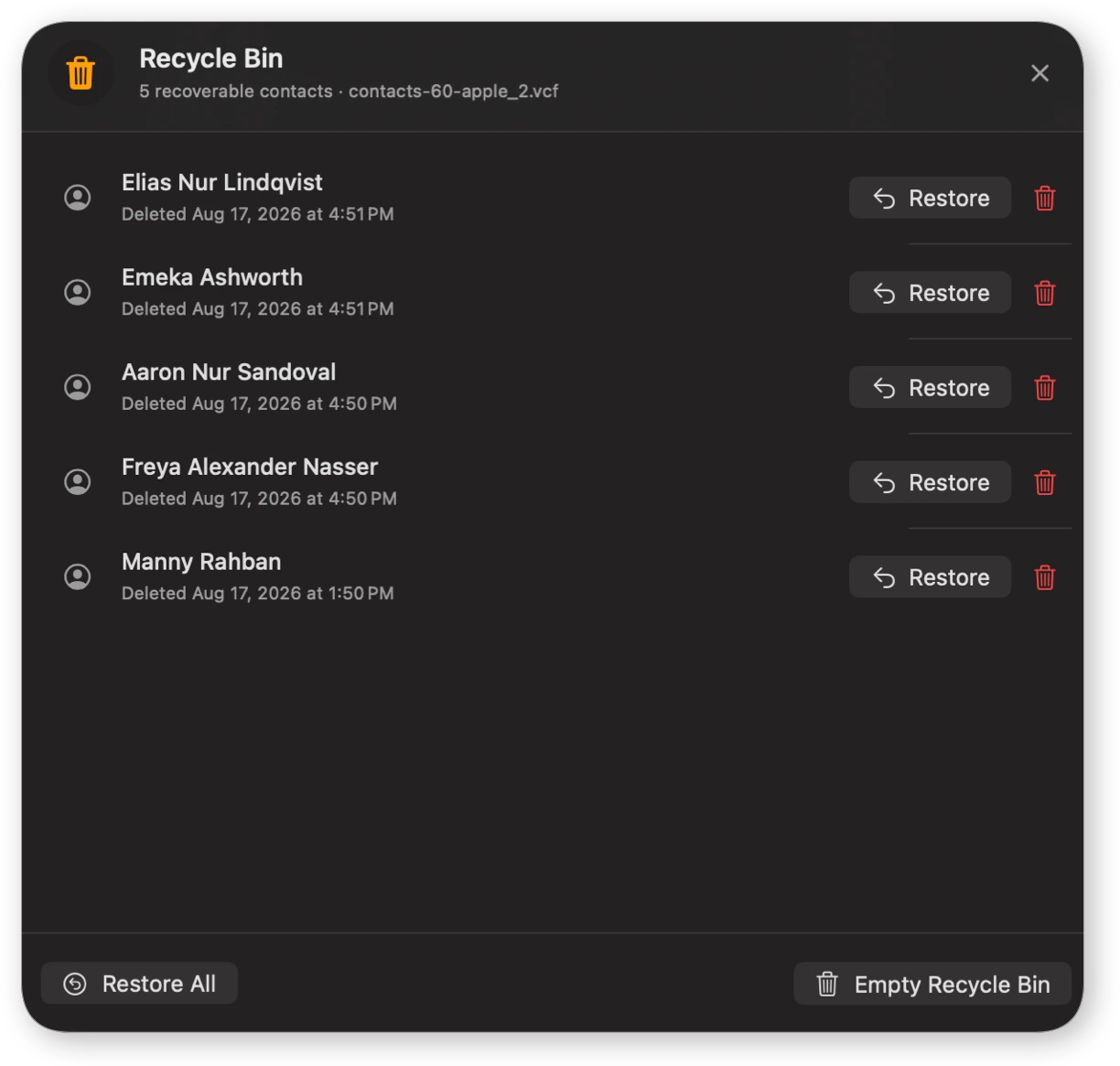
Accidentally delete a contact? Restore one, retrieve all, or set auto-cleanup rules for permanent deletion.
Time-stamped history of every action—imports, merges, and deletions—tracked individually per VCF file.
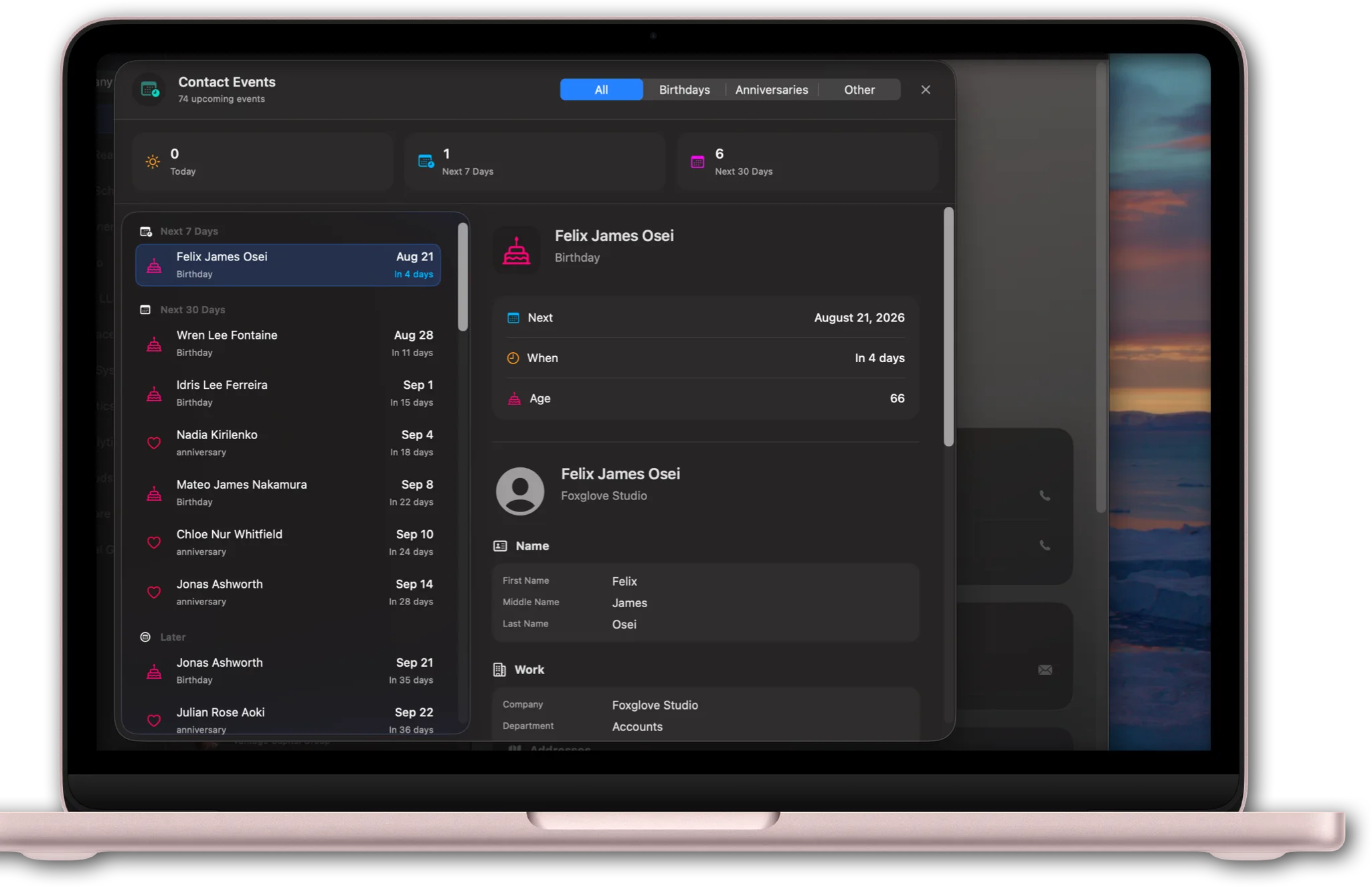
Never miss a birthday or anniversary. Monitor upcoming events in a clean, elegant timeline right inside the app.
Use the "Sort by" menu to find contacts by tag, image status, completeness, or date. Smart Groups automatically organize your list, and you can create custom dynamic groups with multi-rule logic.
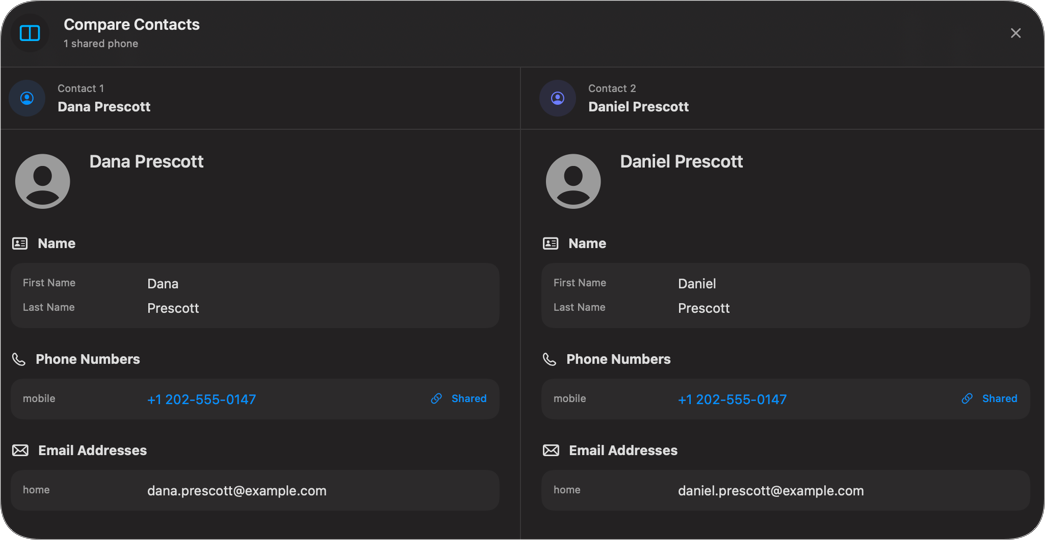
The duplicate detection feature groups contacts sharing the same number or email. Review them side-by-side, pick a primary contact, and merge unique information automatically.
Discover the tools Contact Manager offers to maintain a healthy, organized, and safe contact database.
Monitor overall contact quality, review duplicate groups, and get prioritized actions to fix missing data. An intelligent dashboard ensures your address book stays 100% healthy.
Repair formatting issues, remove repeated phone numbers, and delete duplicate emails across your entire address book safely, all with a single interface.
Track birthdays, anniversaries, and custom dates with a clear timeline. The Events dashboard shows upcoming milestones, and you can add or modify events directly on any profile.
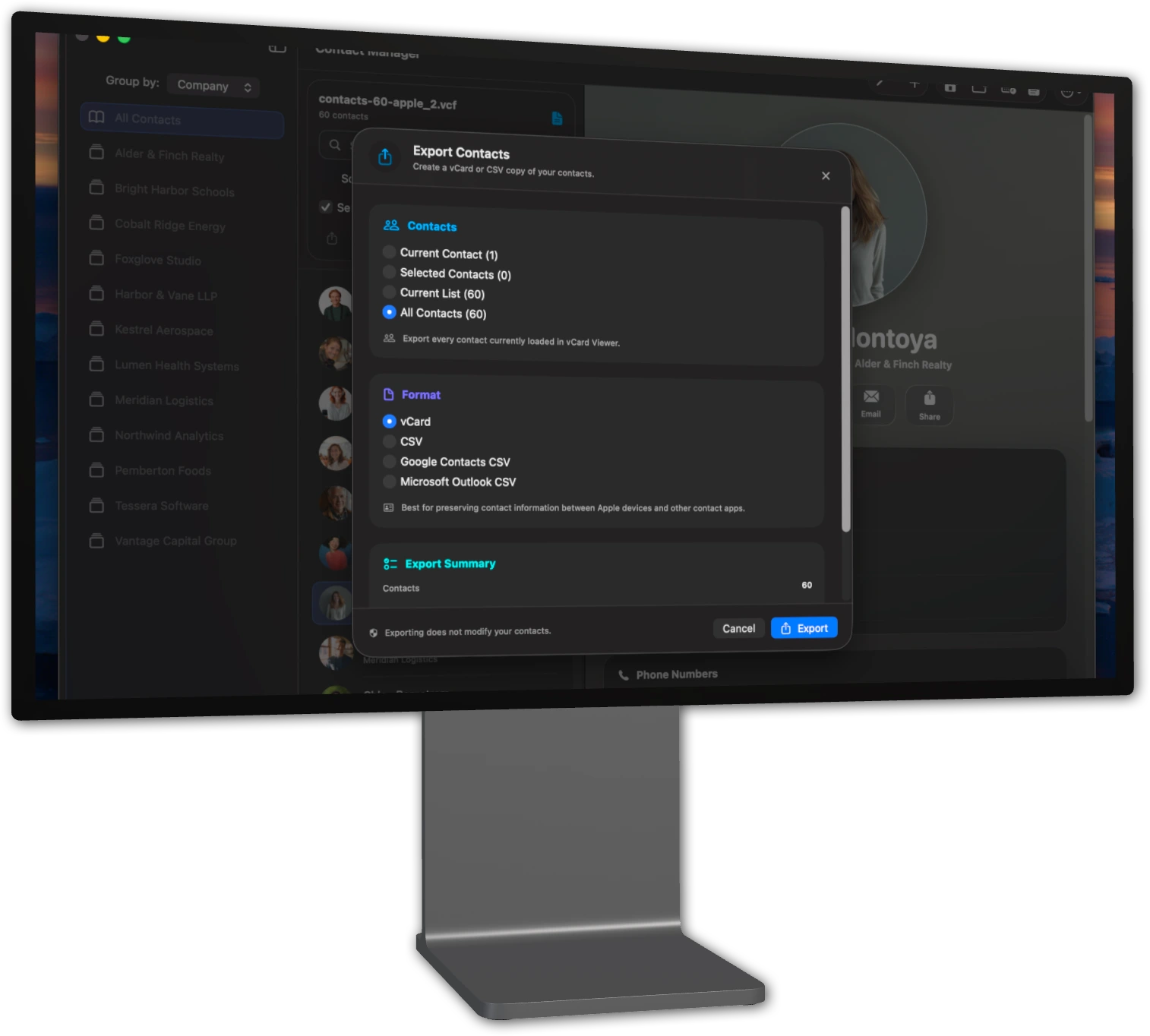
Export a single contact, current search results, or your entire list. Choose between standard vCard, CSV, Google Contacts CSV, or Microsoft Outlook CSV formats.
Accidentally deleted a contact? Recover it instantly from the Recycle Bin. Set auto-purge rules to permanently delete after 24 hours, 1 week, 1 month, or never.
Create custom groups using "Match All" or "Match Any" rules. Filter your entire database based on missing phone numbers, email addresses, photos, addresses, and more.
A focused workflow for anyone who wants a clean, organized, and safe contact list.
Bring in VCF and CSV files, or sync seamlessly with your built-in Mac Contacts app.
Automatically scan for duplicates, missing emails, and suspicious numbers. Sort by tags, dates, or image.
Compare duplicates side-by-side, select a primary contact, and fix bulk formatting errors easily.
Every critical change triggers a safety backup. Deleted contacts move to the Recycle Bin for instant recovery.
Contact Manager prioritizes your data. Before any bulk cleanup or merge happens, a complete safety backup is created. If you make a mistake, your original contacts are safe and easily restored.
Keep your contacts pristine, avoid duplicate entries, and ensure your data is never lost.
Import, sync, clean, merge, and backup your contacts with native macOS tools. Enjoy deep health insights, bulk cleanup, and the safety of a permanent activity log and Recycle Bin.