Size and layout
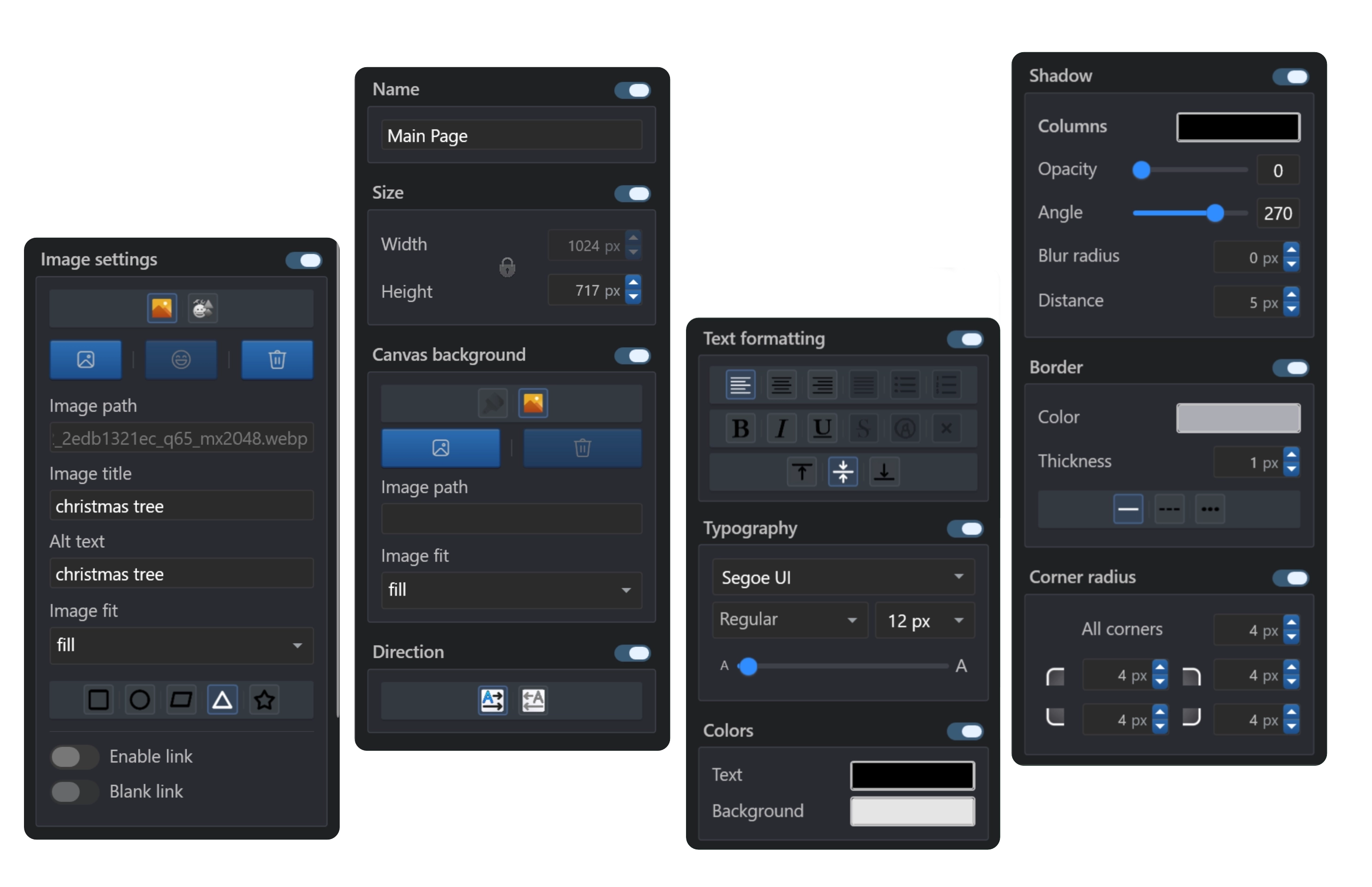
Control width, height, horizontal alignment, layer order, margin, padding and corner radius from compact visual inputs.
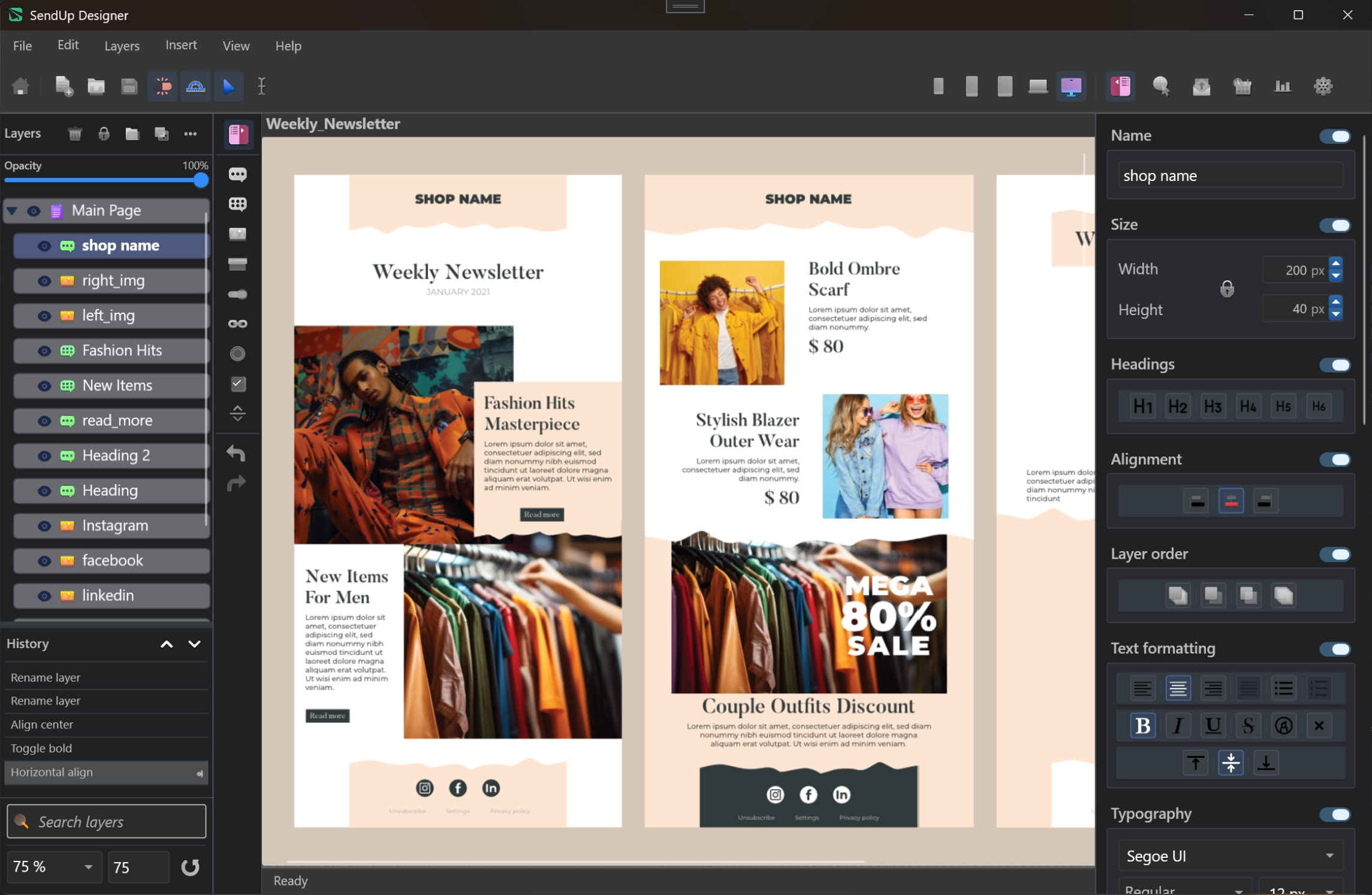
SendUp is a Windows desktop app for designing responsive, email-safe HTML pages without code. Build one campaign across XS, SD, MD, LG and XL layouts, style every element from professional panels, send through multiple providers, and keep reports stored locally.
SendUp is a Windows desktop app.
SendUp gives HTML email design the same hands-on editing feel as a picture editor. Add headings, multiline text, links, buttons, icons and images, then move and resize them directly on the campaign canvas.
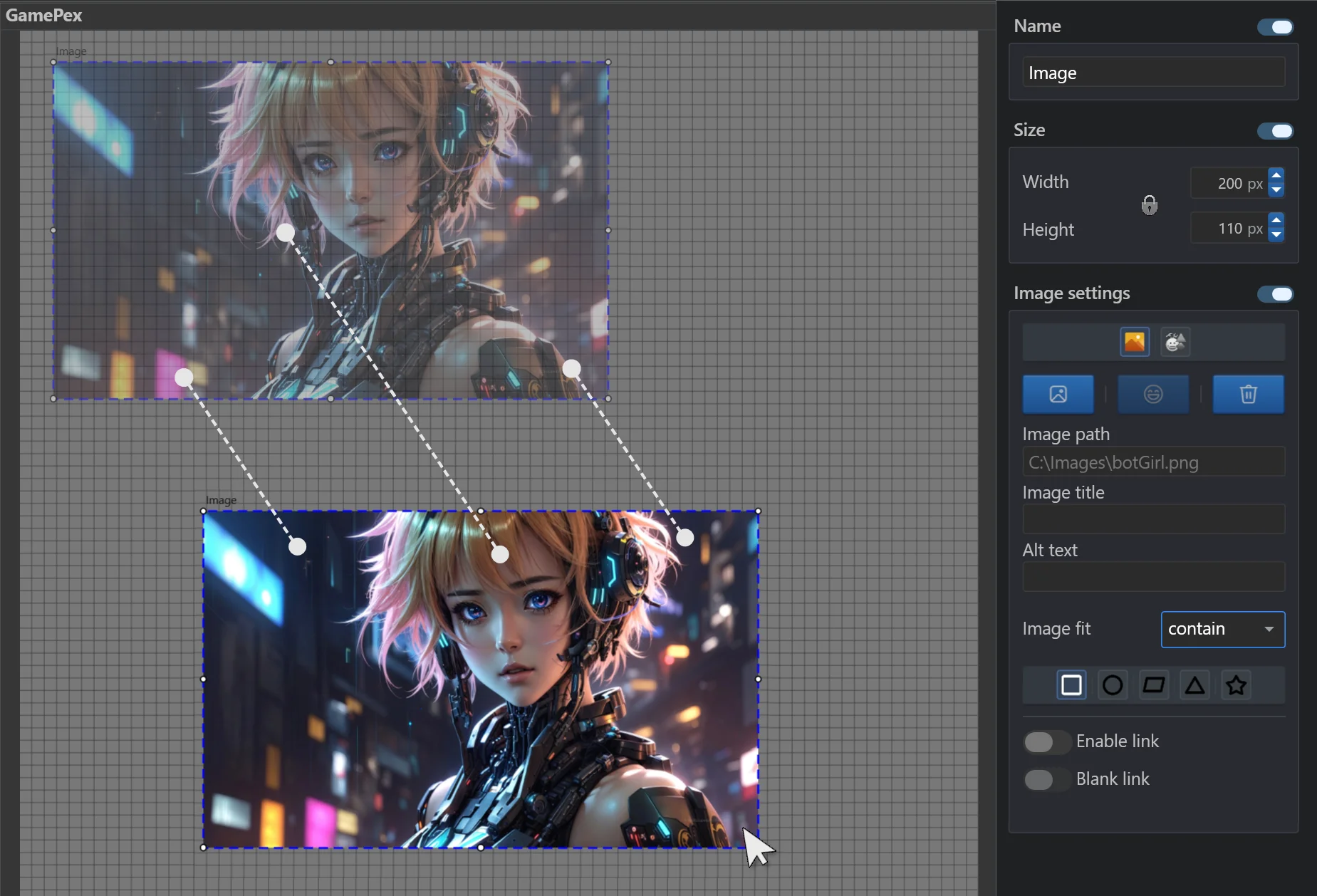
Use dedicated panels for layout, typography, colors, image behavior, spacing, borders, shadows and text formatting. Input and animation panels are not part of SendUp.
Control width, height, horizontal alignment, layer order, margin, padding and corner radius from compact visual inputs.
Set font size, family and variant, then format text with bold, italic, underline, strikethrough, highlight and small caps.
Apply text color, background color and background images with image fit options and shape styles.
Create solid, dashed or dotted borders, then tune shadow color, opacity, angle, blur and distance.
Adjust margin and padding values visually, including shift behavior for nearby elements.
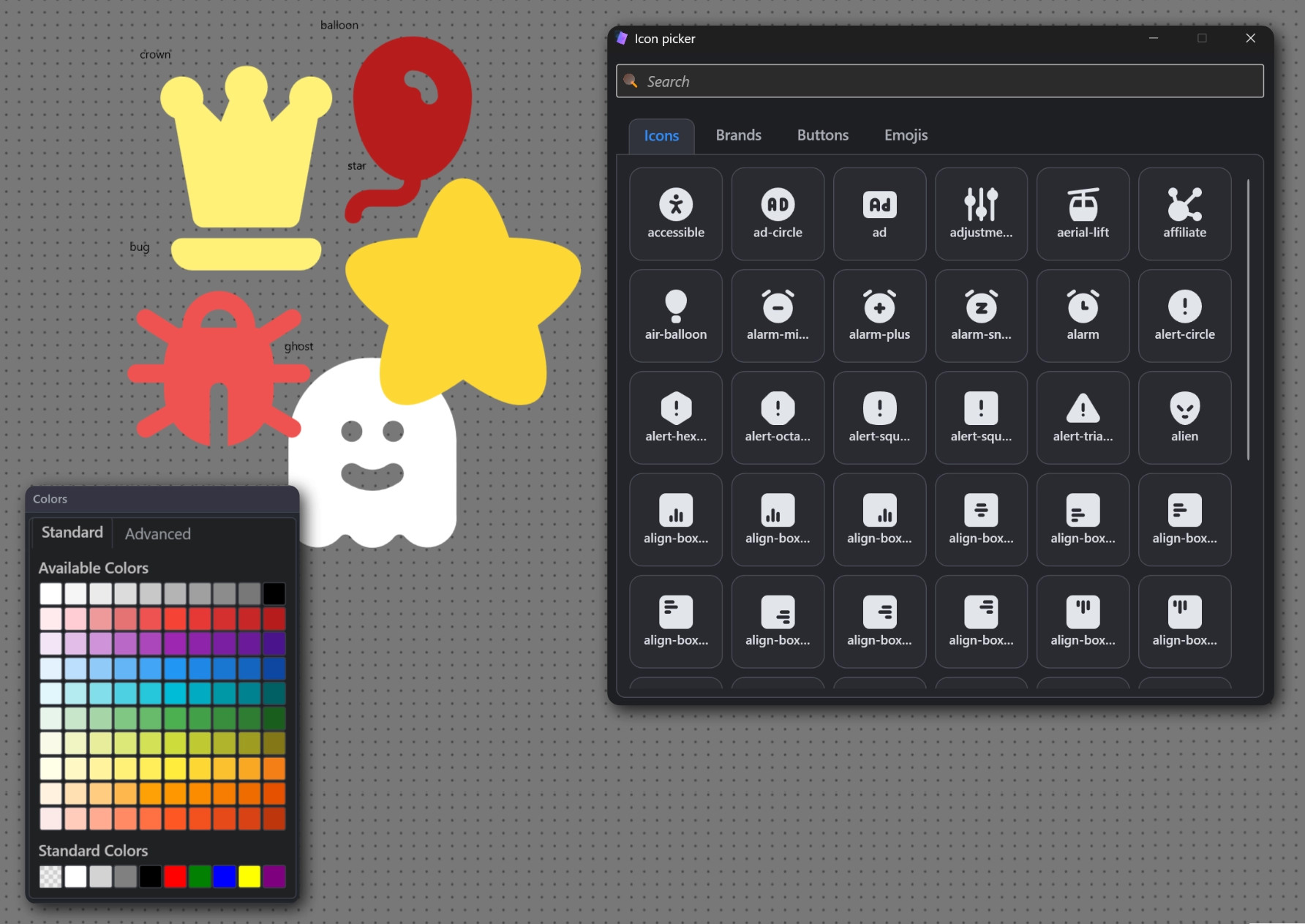
Choose from editable SVG icons and PNG emojis for visual symbols inside email-safe layouts.
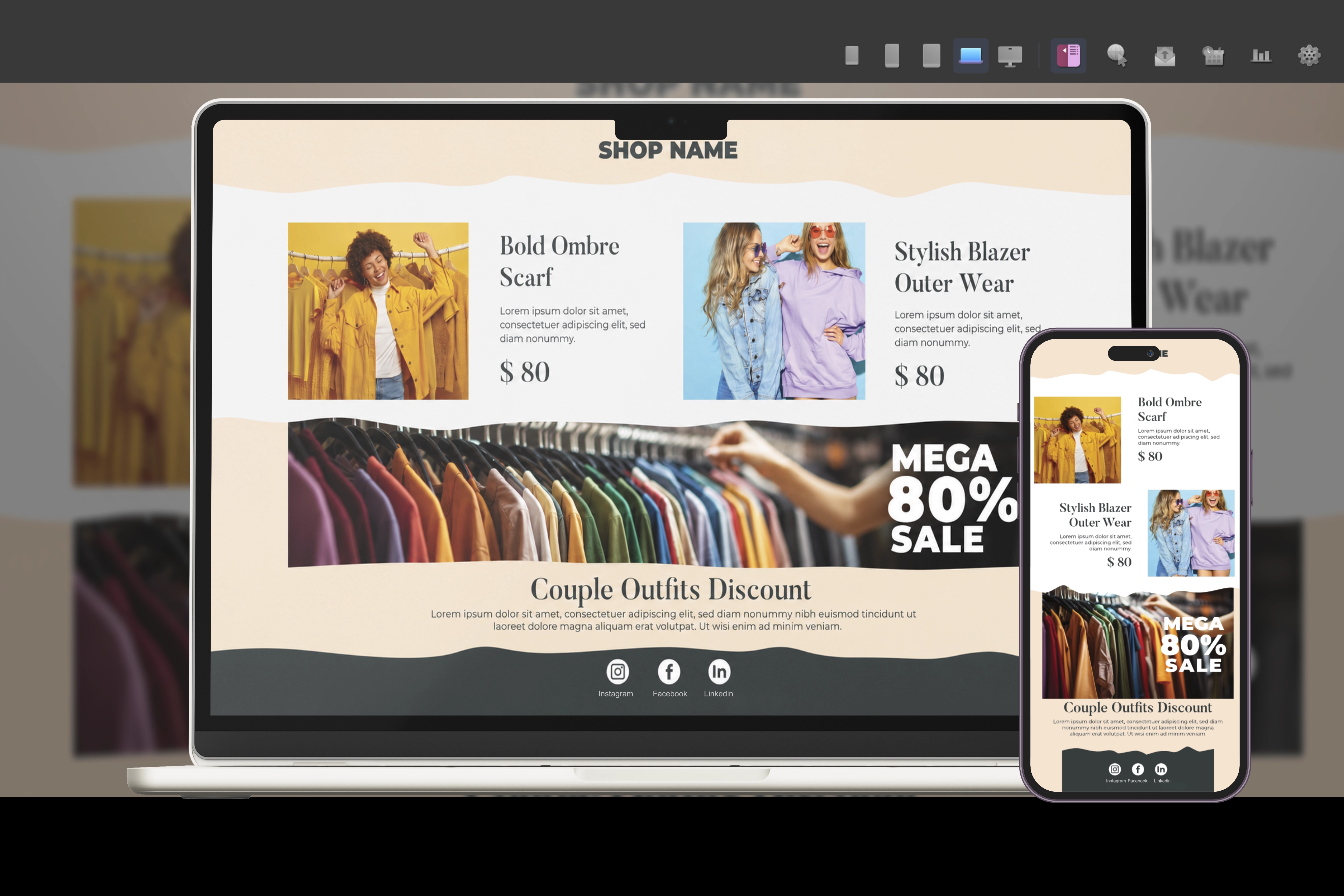
SendUp supports five email design sizes. Build each layout separately, then export or send the campaign as a combined responsive HTML page.
The layer panel keeps the campaign structure visible while you design. Copy, paste, duplicate, hide, lock, group and order elements, then use the history panel to review actions and return to earlier states.
SendUp keeps the Websitefy-style visual builder where it matters, then replaces website-only tools with a customer scheduler, provider accounts, campaign history and local export options.
Work in a multi-panel editor with layer control, instant visual styling, five device-size canvases and direct links to schedule sends or review delivery reports.
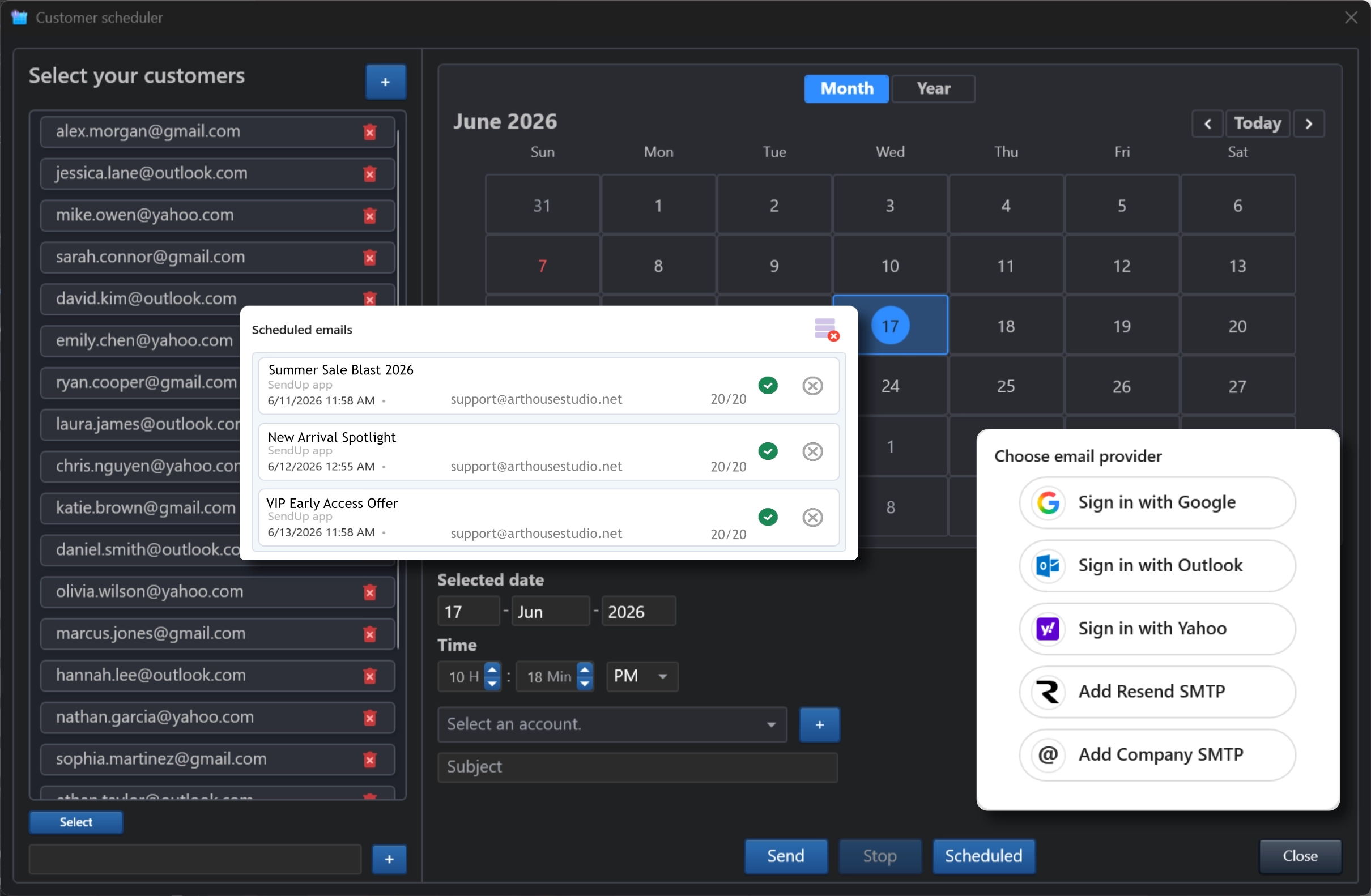
Import recipients from Excel, CSV or text, choose a sending account, set a date and time, then send immediately or schedule the campaign for later.
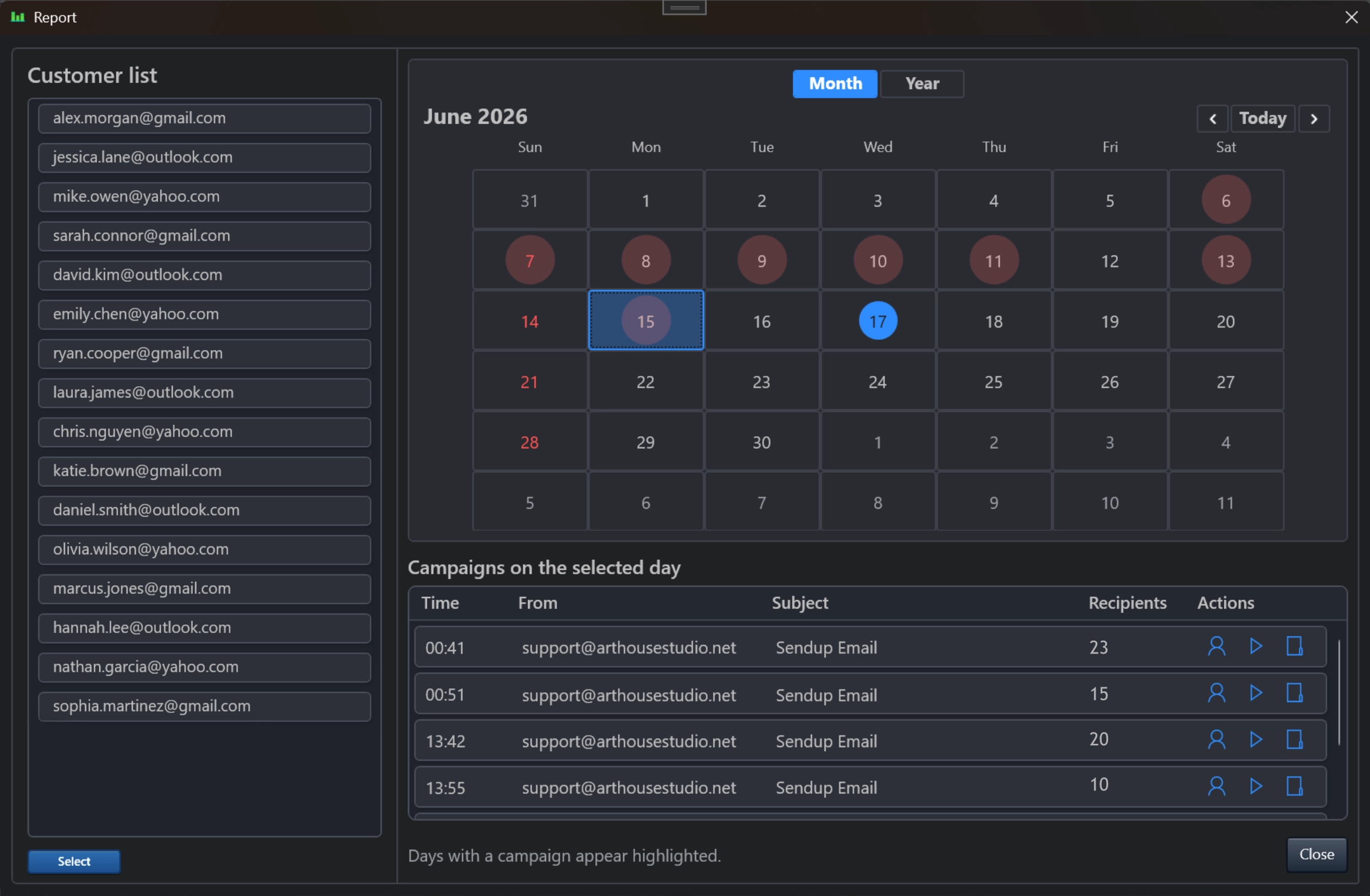
The report page highlights campaign dates, shows recipient details, keeps the sent HTML and SendUp project reference in local storage, and lets you reopen or export campaign data.
Fine-tune shadows, borders, colors, typography, margin and padding from one consistent visual property system.
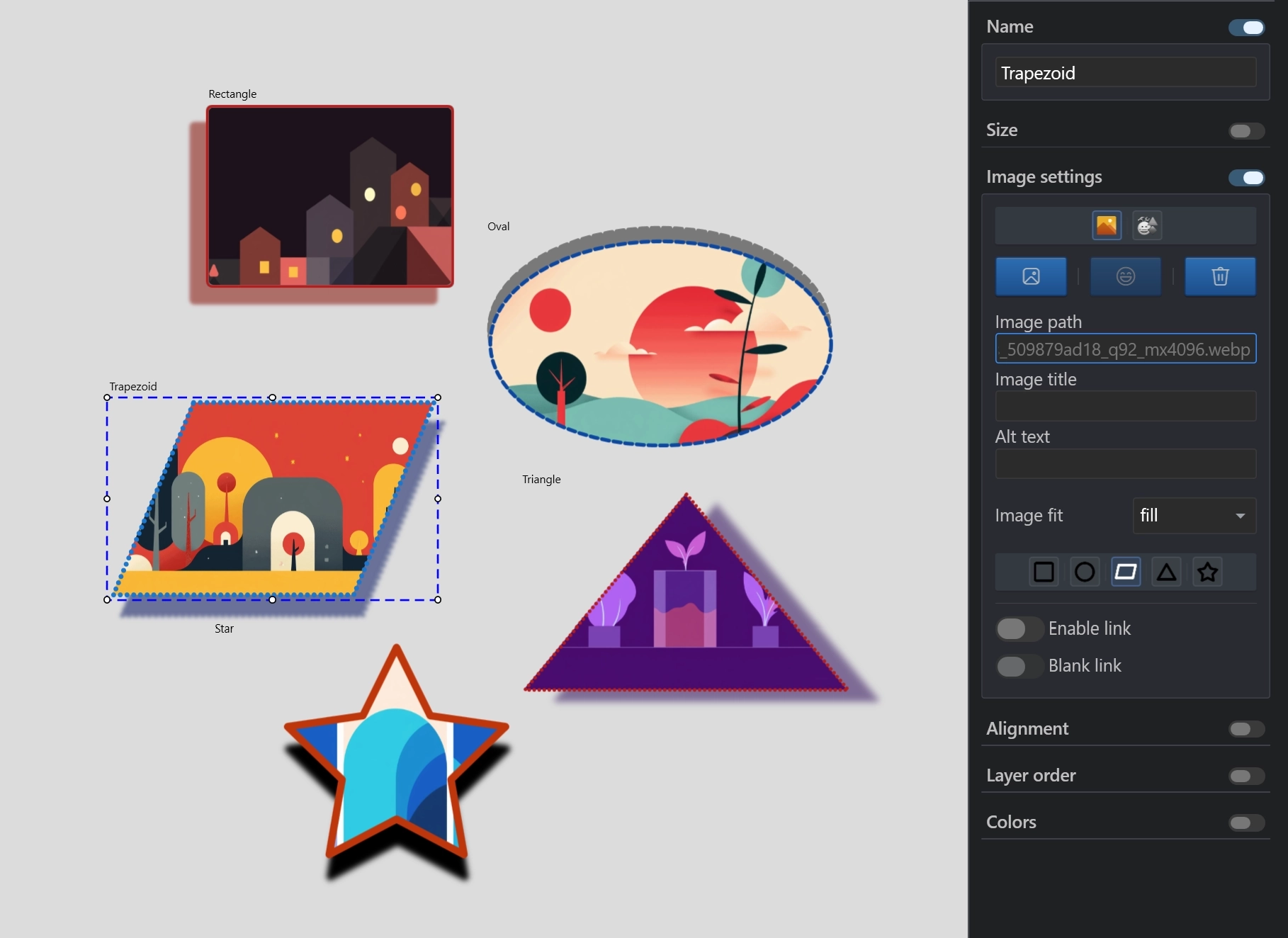
Crop images into rectangles, circles, ovals, trapezoids, triangles and stars, then compress them for lightweight campaign output.
Pick from around 1000 editable SVG icons and more than 4000 PNG emojis, then recolor symbols directly from the icon picker.
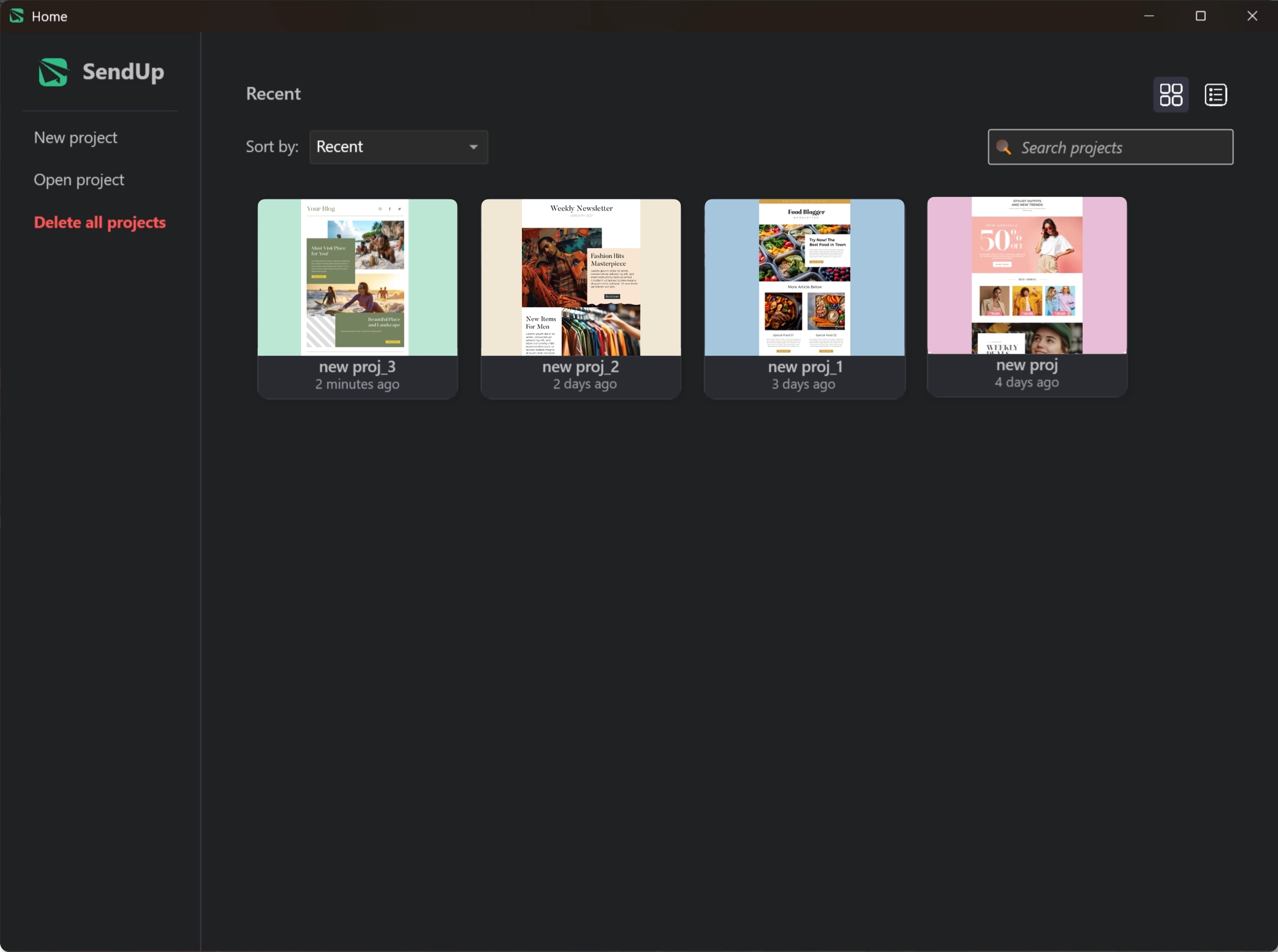
Switch between thumbnail and list views, search projects instantly, sort by recent or name, and delete one project or clear the workspace.
A focused workflow for designers and teams that need a desktop-grade HTML email builder with built-in sending and history tools.
Create a focused SendUp project and design the email page visually.
Adjust XS, SD, MD, LG and XL layouts for inbox-ready responsive delivery.
Import lists, select an account and assign the date and time from the scheduler.
Send immediately or later, then review delivery history from the report page.
SendUp can export the responsive email page as a single file or separated files in the user directory, using compact or readable output depending on your settings.
SendUp can share the same international website shell and language selector as your other ARTHOUSE Studio product pages.
Use a desktop-style HTML email designer, no-code property panels, responsive breakpoints, customer scheduling, provider accounts, local reports and export-ready campaign files.