Deep metadata
Explore EXIF, TIFF, GPS, IPTC, camera, lens, date, exposure and file information in one place.
Exif Pro turns hidden photo information into something you can actually use. Explore detailed metadata, understand where and how an image was captured, organize your library, edit supported details and review available provenance information — all from one focused photography app.
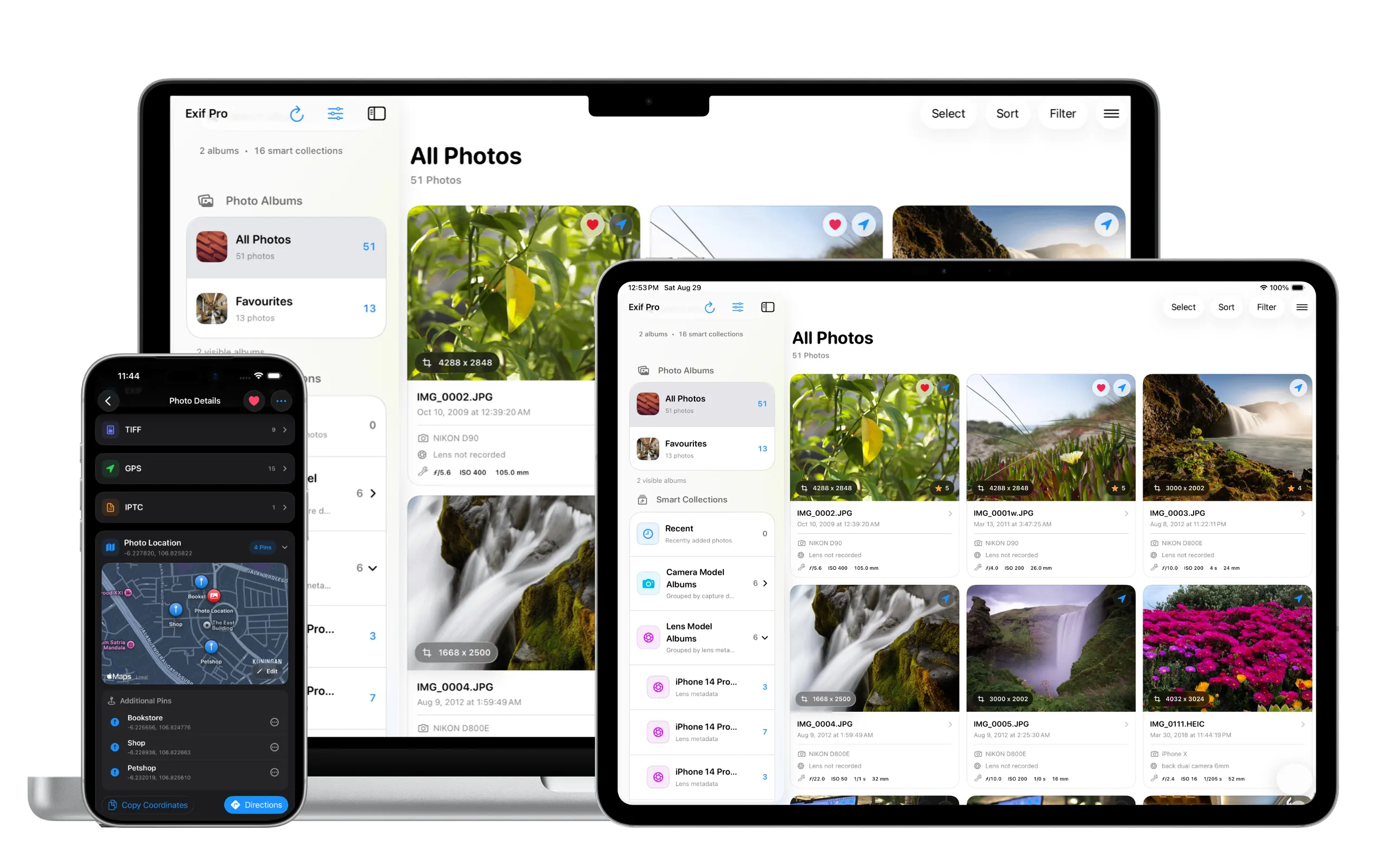
Explore EXIF, TIFF, GPS, IPTC, camera, lens, date, exposure and file information in one place.
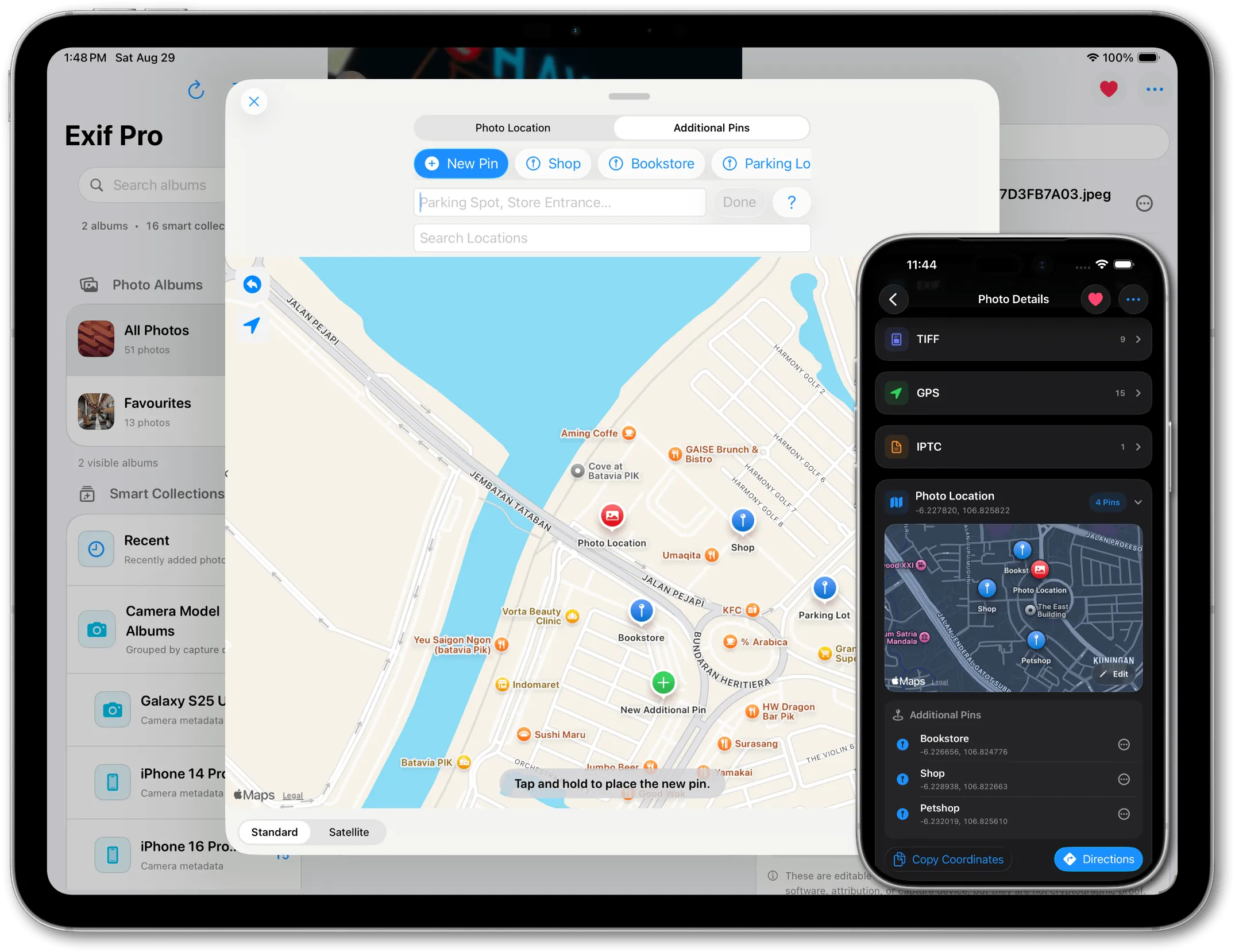
View and edit GPS information, add multiple named pins, copy coordinates and quickly open directions.
Review available creator tools, credentials, editing actions and supported AI disclosure signals.
Photo inspection and metadata analysis happen directly on your device instead of turning your library into an online service.
Keep a photo's original GPS location and add multiple additional places that matter to you. Give every pin its own title, see all saved locations together on the map, and return to them whenever you need.
Add several additional locations to one photo and give each pin a useful name such as a shop, bookstore, viewpoint or parking location.
Modify saved pins and photo locations whenever something changes, rename them or remove locations you no longer want to keep.
Quickly copy latitude and longitude information from a saved place when you need to use it somewhere else.
Choose a saved location and jump directly to directions so Exif Pro can help you get back to the place behind the photo.
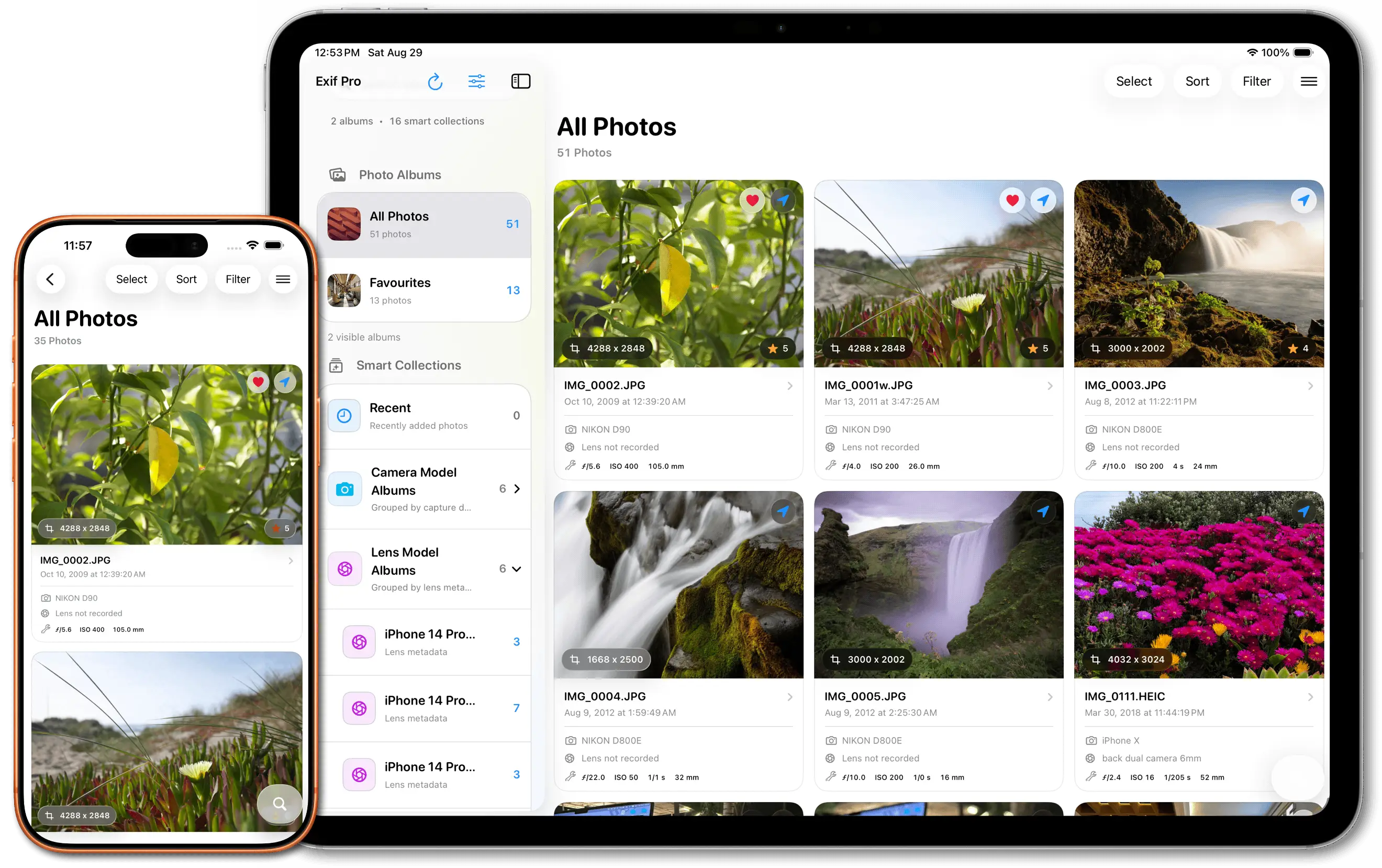
Switch to a detailed album view and understand a photo before you even open it. Exif Pro combines the image with useful technical information, capture details and visual status tags in a clean layout designed for each device.
See camera model, lens information, aperture, ISO, shutter speed and focal length directly alongside the image.
View the precise date and time a photo was taken, plus its pixel dimensions and file information.
Favorite important photos and assign star ratings, then recognize them instantly while browsing.
Quickly identify photos that include location data or available AI-generated and AI-edited indicators.
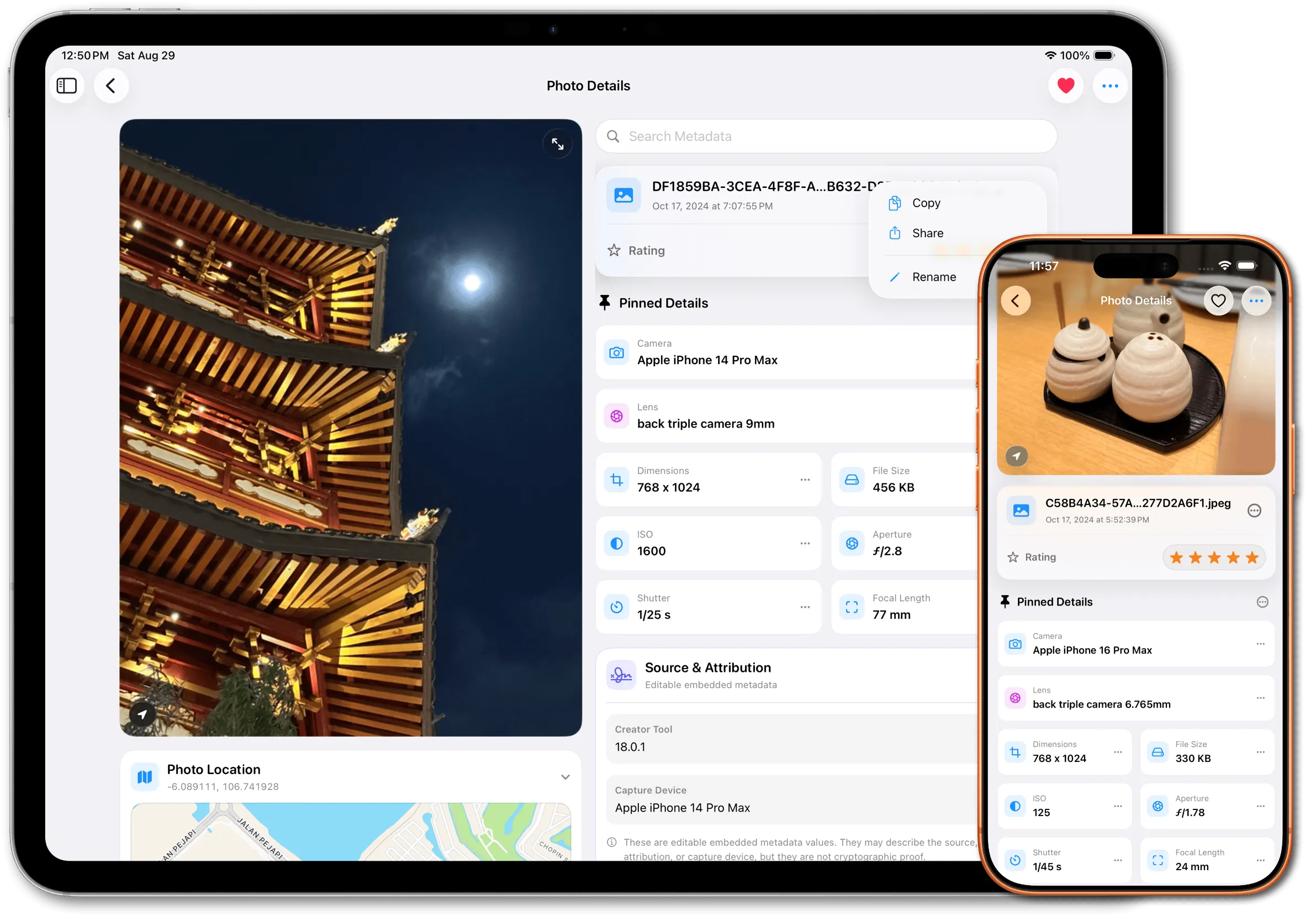
Tap any image in Exif Pro to open a dedicated Photo Details workspace. The photo stays visible while the information and tools around it help you inspect, organize and personalize everything connected to that image.
Exif Pro starts with useful pinned specs such as camera, lens, dimensions, file size, ISO, aperture, shutter speed and focal length. Unpin anything you do not need and pin other metadata that matters to you.
Open the image menu and rename supported photos and media directly from the Photo Details screen.
Give an image a star rating or mark it as a favorite, making important photos easier to recognize and find throughout your library.
Open only what you need. EXIF, TIFF, GPS, IPTC, Photo Location and AI & Provenance are organized into separate sections so detailed information stays easy to navigate.
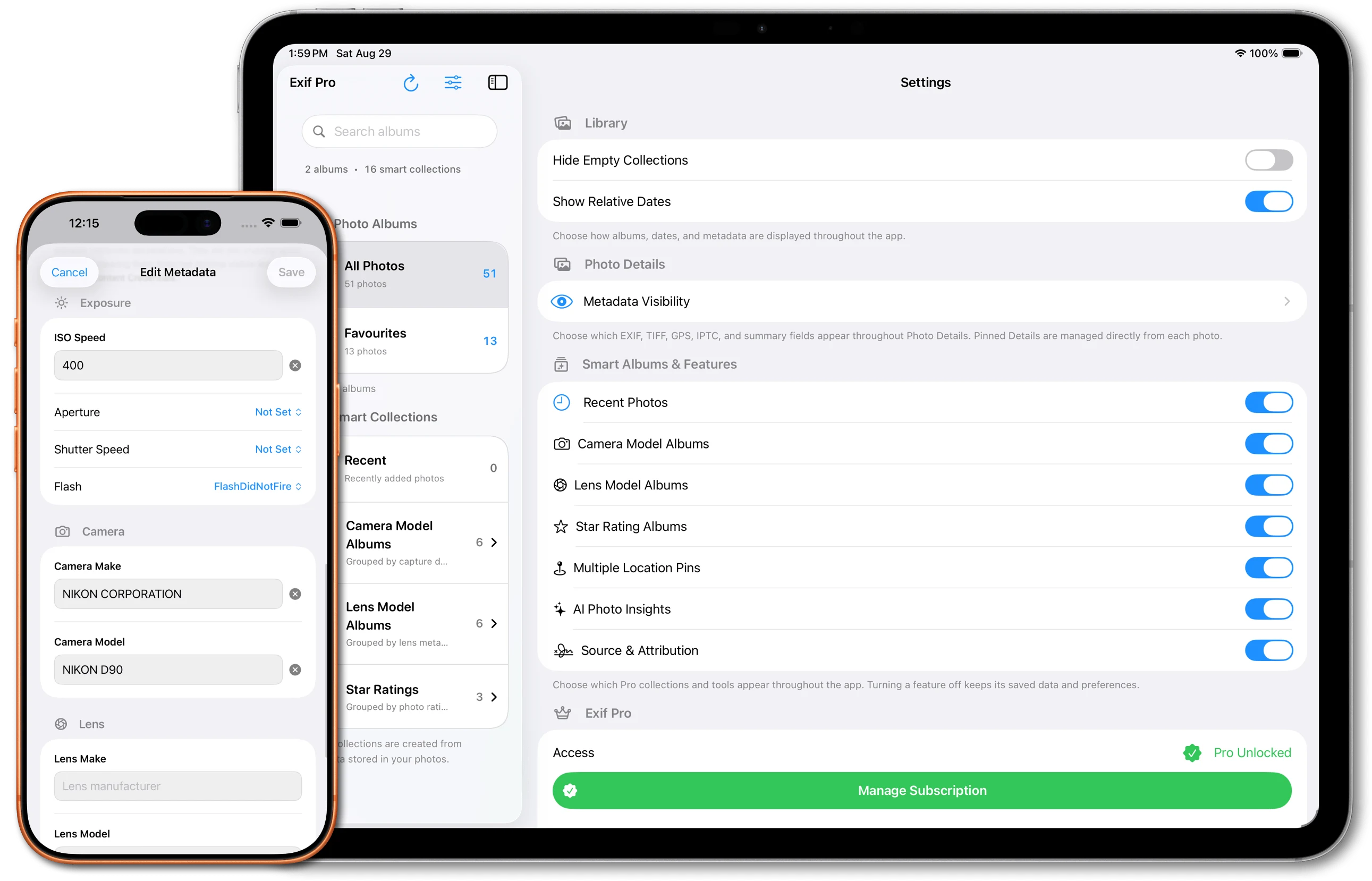
Exif Pro gives you control over both the information stored inside supported photos and the way your library is presented. Edit useful metadata when something needs correcting, or simplify the app by hiding collections, features and metadata you do not use.
Add or change a photo location, edit saved location information, manage additional pins or remove GPS metadata when you no longer want it stored.
Add or update image descriptions, comments, artist information and copyright metadata.
Edit lens specification information including focal values and maximum aperture where supported.
Add, edit or remove supported digital source type, creator tool and credit-line information.
Show or hide Smart Albums and features, control sections that appear in Photo Details, and choose which individual metadata fields remain visible throughout the app.
Exif Pro examines available provenance and AI-related signals stored with supported images. See what the file says about its source, creator tool, capture device and editing history, then understand what that evidence can — and cannot — tell you.
Surface available source and attribution metadata, creator-tool information, recorded devices, editing actions and other provenance signals.
Review supported embedded credential information when it is present and clearly see when no Content Credentials are available.
Exif Pro can inspect supported visible disclosures and other available evidence associated with AI-generated or AI-edited content.
On supported devices, Apple Intelligence can help review the evidence prepared by Exif Pro and explain whether those signals support an AI-related result.
Results depend on the evidence available in each image. Editable metadata and visual signals are useful evidence, but they should not be treated as independent cryptographic authentication.

Explore detailed metadata, understand where a photo came from, organize your library, edit supported information and uncover the signals hidden behind your images.